
If you are choosing between Alexa vs Google Home vs Apple HomeKit in 2026, the short answer is this: pick Alexa if you want the widest choice of devices and the lowest prices, pick Google Home if you want the smartest voice assistant and you use Google services, and pick Apple HomeKit if you are already deep in the Apple ecosystem and privacy matters most to you. There is no single winner — the right ecosystem depends on the phone in your pocket, the devices you already own, and how much you care about privacy. Thanks to the Matter standard, your choice matters less than it used to, but it still matters, and this guide will help you pick once and pick right.
The Quick Answer: Which Ecosystem Fits You?
| Your situation | Best choice | Why |
|---|---|---|
| You want the most devices at the lowest prices | Alexa | Works with 100,000+ devices; Echo speakers start around $25 on sale |
| You use Gmail, Google Calendar, and Android | Google Home | Gemini answers questions best and knows your Google services |
| You own an iPhone, Apple Watch, and Apple TV | Apple HomeKit | Seamless with Apple devices, best privacy, local control |
| You want the most private smart home | Apple HomeKit | End-to-end encryption, on-device Siri processing |
| You want the best automations | Alexa | Routines are still the most powerful and flexible |
| You want the smartest voice assistant | Google Home | Gemini for Home understands natural, conversational requests |
| You are starting from zero and on a budget | Alexa | Cheapest speakers, plugs, and bundles |
| You rent and want a simple setup | Google Home | Easy app setup, no hub required for most devices |
If you only remember one thing from this guide, remember this: buy Matter-certified devices. A Matter smart plug or bulb works with Alexa, Google Home, and Apple Home at the same time, so even if you change your mind later, your devices come with you.
Alexa vs Google Home vs Apple HomeKit at a Glance
| Feature | Amazon Alexa | Google Home | Apple HomeKit |
|---|---|---|---|
| Voice assistant | Alexa (Alexa+ optional, $14.99/month) | Gemini for Home (replacing Google Assistant) | Siri |
| Device compatibility | 100,000+ devices | 50,000+ devices | Fewer native devices, growing fast with Matter |
| Cheapest speaker | Echo Pop, ~$25 on sale | Nest Mini, ~$30 on sale | HomePod mini, $99 |
| Smart display | Echo Show 5 / 8 / 10 / 15 | Nest Hub (2nd gen), Nest Hub Max | None (use iPad as a display) |
| Hub required? | Echo (4th gen) and Echo Hub have Zigbee built in | Nest Hub, Nest Wifi Pro, or Google Home Speaker as Thread border router | Apple TV 4K or HomePod / HomePod mini |
| Automation | Alexa Routines — most powerful, conditional logic | Google Home automations — much improved after 2025 redesign | Apple Home automations — simple and reliable, less flexible |
| Privacy | Cloud-based, most data collection | Cloud-based, Google says home data is not used to train AI | End-to-end encryption, many commands processed on-device |
| Camera system | Ring / Blink | Nest cameras | HomeKit Secure Video (needs iCloud+ plan) |
| Works with | Android and iOS apps | Android and iOS apps | Apple devices only for full control |
| Matter support | Yes | Yes | Yes |
| Thread support | Echo (4th gen), Echo Hub, eero routers | Nest Hub, Nest Wifi Pro, Google Home Speaker | Apple TV 4K, HomePod (2nd gen), HomePod mini |
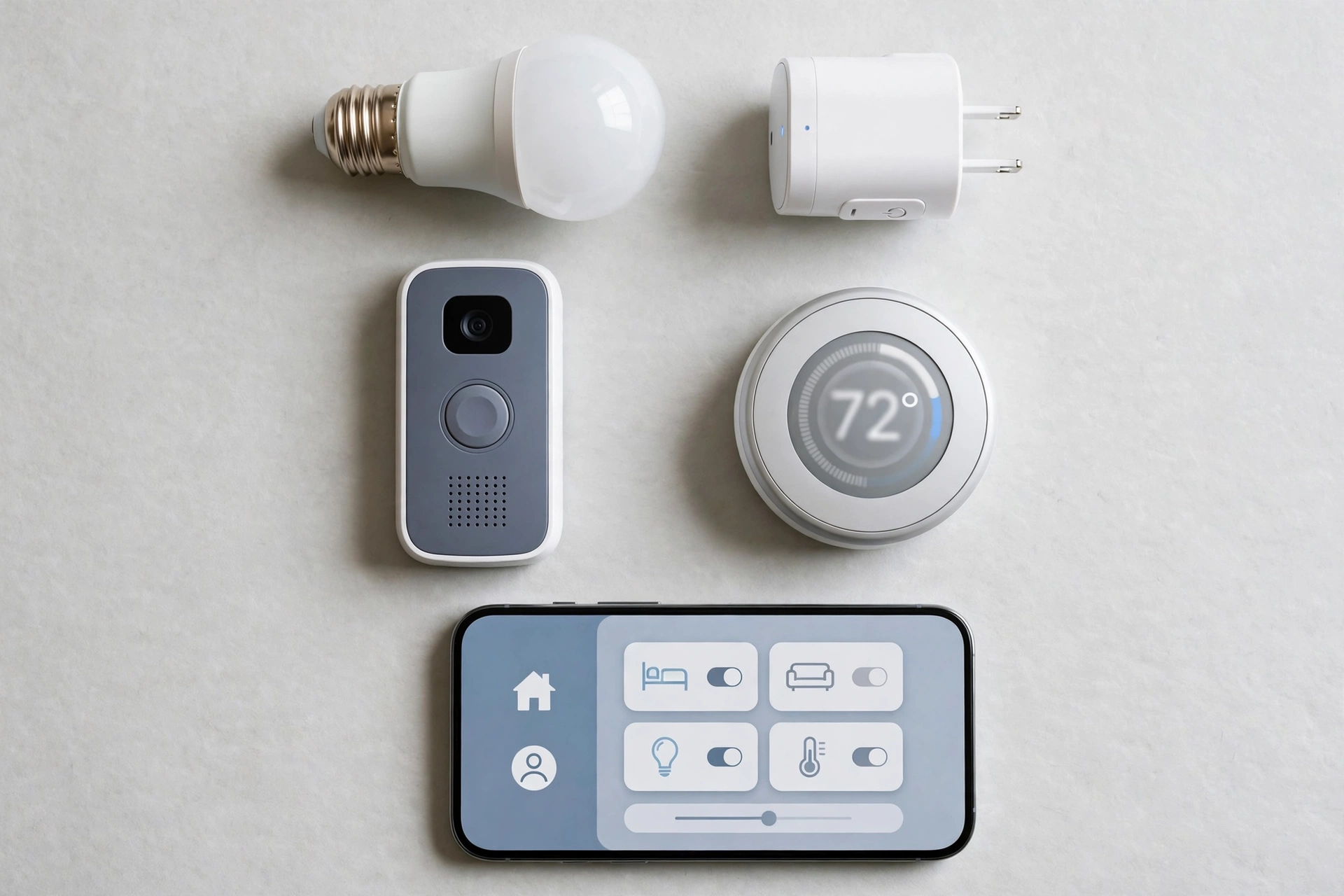
Amazon Alexa: The Compatible One
Alexa is still the most popular smart home ecosystem, and the reason is simple: it works with almost everything. If a smart home device exists, it almost certainly works with Alexa. Amazon’s hardware is also the cheapest of the three — Echo speakers regularly go on sale for $25–$50, and Alexa-compatible plugs and bulbs from third-party brands are often half the price of HomeKit equivalents.
What Alexa does best
- Device choice. Over 100,000 compatible products from thousands of brands, including cheap no-name devices that never get HomeKit certification.
- Routines. Alexa Routines remain the most powerful automation builder of the three, with conditional logic — for example, “if the front door opens after sunset, turn on the porch light and announce it on the Echo in the kitchen.” Google Home has closed the gap since its 2025 app redesign, but Alexa still leads for complex automations.
- Built-in Zigbee hub. The Echo (4th generation) and Echo Hub have a Zigbee hub built in, so Zigbee bulbs, plugs, and sensors connect directly with no extra hub to buy.
- Alexa+. Amazon’s new AI upgrade, Alexa+, costs $14.99 per month and adds genuinely conversational understanding — it follows up on questions, remembers context, and can build routines from a plain-language description like “turn the lights down when I start a movie.” The free Alexa still works fine, but Alexa+ is where the smart assistant is heading.
Where Alexa falls short
- Privacy. Alexa is heavily cloud-dependent and Amazon collects the most data of the three. You can delete voice recordings and review privacy settings, but if data collection bothers you, this is the weakest option.
- Voice understanding. Alexa is good at smart home commands but weaker than Google’s Gemini at open-ended questions and conversation.
- Ads and upselling. Echo devices sometimes suggest products and services. You can turn most of this off, but it is part of the Alexa experience.
Alexa starter kit
An Echo (4th gen) as your hub and speaker, two Matter smart plugs, and a Matter smart bulb will cost roughly $100–$130 — the cheapest way to start a smart home in 2026.
Google Home: The Intelligent One
Google Home is the most well-rounded ecosystem for most households. Its voice assistant is the smartest of the three, it works on both Android and iPhone, and the Google Home app redesign in 2025 brought its automation builder much closer to Alexa’s level.
What Google Home does best
- Voice intelligence. Gemini for Home is replacing Google Assistant across phones, speakers, and displays. It understands natural, multi-part requests — “turn off the bedroom lights, set the thermostat to 21 degrees, and play my sleep playlist” — better than either rival, and it handles follow-up questions without you repeating the wake word.
- Google services. If your life runs on Gmail, Google Calendar, Google Photos, and YouTube, Google Home is the only ecosystem that ties them all together. Asking “what’s on my calendar today?” or “show me photos from last summer on the TV” just works.
- Best smart display. The Nest Hub (2nd gen) remains the best bedside smart display — it tracks sleep, doubles as a digital photo frame, and controls your home from one screen.
- No hub needed to start. Most Matter and Wi-Fi devices connect straight through the Google Home app. Add a Nest Hub or Nest Wifi Pro later if you want Thread devices.
Where Google Home falls short
- Fewer devices than Alexa. Google Home supports 50,000+ devices — plenty for mainstream brands, but obscure or budget devices are more likely to be Alexa-only.
- The Assistant-to-Gemini transition. Google Assistant is being phased out in favour of Gemini on phones, tablets, and watches, and the rollout to smart speakers and displays has been messier than Google first promised. Some features have changed or moved during the switch, and Google still has not published a firm completion date.
- Matter setup quirk. Google Home’s Matter pairing depends on IPv6 being enabled on your home network, and Google’s own support pages warn that pairing can appear to succeed and then fail silently. If your router has IPv6 disabled, turn it on before adding Matter devices.
Google Home starter kit
A Nest Hub (2nd gen) as your display and hub, two Matter smart bulbs, and a Matter smart plug will cost roughly $120–$150. If you already use Android and Google services, this is the easiest ecosystem to live with.
Apple HomeKit: The Private One
Apple HomeKit — now presented to users simply as Apple Home — is the most polished and most private smart home ecosystem, but it is also the most expensive and the most restrictive. It makes sense if you already live in Apple’s world; it makes little sense if you do not.
What Apple HomeKit does best
- Privacy. This is the headline, and it is genuinely different. Home data is encrypted end-to-end so that Apple cannot read it, and Siri processes many commands locally on your devices without sending them to the cloud. If privacy is your top priority, nothing else comes close.
- Local control and reliability. Apple Home sends commands directly to your devices over your home network rather than routing them through the cloud. That makes responses faster and means your lights still work when your internet goes down.
- Apple integration. If you own an iPhone, Apple Watch, and Apple TV, the experience is seamless: control your home from Control Centre, from your wrist, or with Siri, and set up new devices by scanning a code with your phone camera. Your Apple Watch can even unlock your door and turn off the lights as you leave — and if you want your watch to stay responsive as a home controller, keep its battery healthy with our guide on why your smartwatch battery drains so fast.
- HomeKit Secure Video. Camera recordings are encrypted, analysed on-device, and stored in iCloud without counting against your storage plan — though it does require a paid iCloud+ plan.
Where Apple HomeKit falls short
- Price. The cheapest HomePod mini is $99, versus $25–$30 for an Echo Pop or Nest Mini. HomeKit-certified devices also carry a premium because every device must pass Apple’s certification.
- Fewer devices. Historically around 800+ native HomeKit devices versus 100,000+ for Alexa. Matter is closing this gap fast, but if you want an obscure or budget device, check compatibility before buying.
- Apple-only control. You need an iPhone, iPad, or Mac to set up and fully control an Apple Home setup, plus an Apple TV 4K, HomePod, or HomePod mini as a home hub. Android users and mixed-device households should choose Alexa or Google Home instead.
- Automation limits. Apple Home automations are simple and reliable, but they lack Alexa’s conditional logic, and household sharing only offers two roles (Resident and Guest), which does not scale well for large households that want room-by-room restrictions.
Apple HomeKit starter kit
A HomePod mini as your hub and speaker, two Matter smart bulbs, and a Matter smart plug will cost roughly $160–$190. It is the priciest starting point, but if you already own Apple hardware, the hub cost is the only real extra.
Matter and Thread in 2026: What Actually Changed
Matter is the new universal smart home standard built by Amazon, Apple, Google, Samsung, and more than 200 other companies. A Matter-certified light bulb works with Alexa, Google Home, and HomeKit without separate versions or workarounds — you can even add the same device to all three platforms at once.
Matter changes the ecosystem decision in two important ways:
- Your devices are no longer locked in. Buy Matter devices and you can switch ecosystems later without replacing your bulbs, plugs, and sensors.
- The voice assistant still matters. Matter does not make the assistants equal. It does not give HomeKit Alexa’s device library, make Google’s Gemini run on an Echo, or give Alexa Apple’s privacy. Pick the assistant you like, then buy Matter devices to keep your options open.
Thread is Matter’s companion wireless protocol — a low-power mesh network for battery-powered devices like sensors and locks. Thread needs a border router to connect to your Wi-Fi network, and each ecosystem has different hardware for that job: Apple TV 4K, HomePod (2nd gen), and HomePod mini for Apple; Nest Hub, Nest Wifi Pro, and the Google Home Speaker for Google; Echo (4th gen), Echo Hub, and current eero routers for Amazon. Note that the Echo (4th gen) runs the older Thread 1.1 radio while newer Echo and eero hardware runs Thread 1.3, so check the model before buying for a Thread-heavy setup.
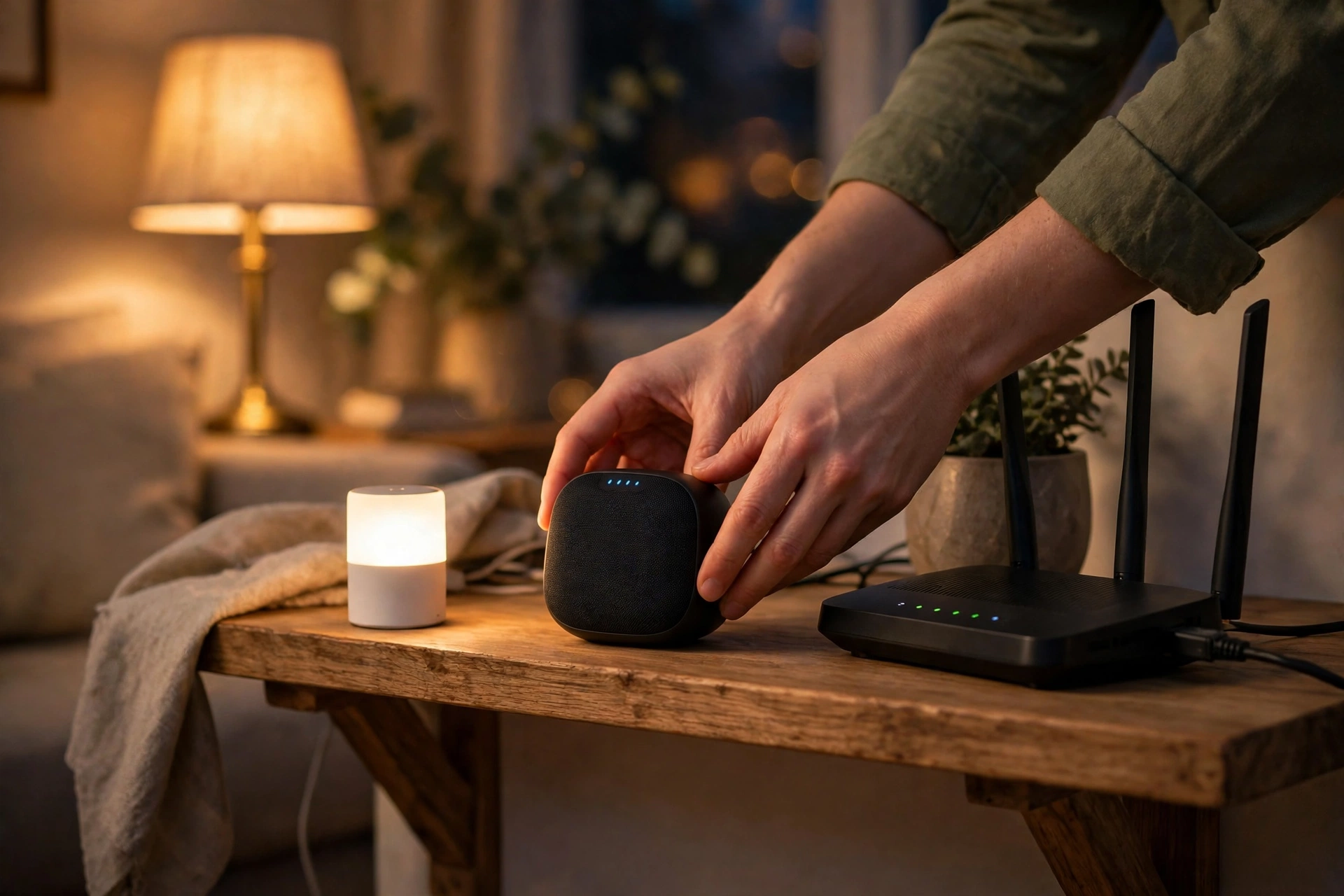
If you are still deciding whether you need a hub at all, read our guide on how to start a smart home first — it covers the beginner setup step by step.
Voice Assistants in 2026: Alexa+ vs Gemini vs Siri
The biggest change in 2026 is that all three assistants are moving toward conversational AI, but they are at very different stages:
- Alexa+ ($14.99/month) is Amazon’s paid upgrade. It understands follow-up questions, remembers context across a conversation, and builds routines from plain language. The free Alexa remains capable for basic commands, but the gap between free and paid is growing.
- Gemini for Home (included) is Google’s replacement for Google Assistant. It is the strongest of the three at understanding natural language, answering open-ended questions, and understanding camera footage — for example, asking “did the dog get fed this morning?” and having Gemini check the camera. The transition is still rolling out and some older features have moved or changed.
- Siri (included) has changed the least in 2026. It is reliable for smart home commands and benefits from on-device processing, but it is still the weakest of the three at open-ended conversation and complex multi-step requests.
For a smart home, voice intelligence matters most when you talk to your home in full sentences rather than barking short commands. If that is how you use an assistant, Google Home leads; if you mostly say “turn off the lights,” all three are equally good.
Cameras, Doorbells, and Security
Each ecosystem has its own camera family, and this is one area where Matter does not help — cameras are not yet covered by the Matter standard, so your camera choice locks you into an ecosystem more than any other device.
- Alexa: Ring and Blink. The widest choice and the lowest prices, with doorbells, floodlight cameras, and indoor cameras starting around $30–$60. Ring’s basic plan costs extra per month for cloud recording.
- Google Home: Nest. Nest cameras have the best image quality and the smartest alerts, with Gemini able to describe what it sees. Nest Aware subscriptions add familiar-face detection and longer video history.
- Apple HomeKit: HomeKit Secure Video. Works with cameras from Logitech, Aqara, Eve, and others. Recordings are encrypted end-to-end and do not count against iCloud storage, but you need a paid iCloud+ plan and the camera choice is smaller.
If cameras matter to you, choose your ecosystem with the camera system in mind — it is the hardest part to switch later.
Which Ecosystem Should You Choose?
Work through these questions in order:
- What phone do you use? iPhone-only household: Apple Home is the natural fit. Android or mixed phones: Google Home or Alexa.
- How much do you care about privacy? If it is your top concern, choose Apple HomeKit and accept the higher prices.
- How much do you want to spend? On a tight budget, Alexa wins — the hardware and compatible devices are the cheapest.
- Do you live in Google services? If Gmail, Calendar, and Photos run your life, Google Home ties them together better than anyone.
- Do you want the smartest voice assistant? Google Home with Gemini for Home.
- Do you want the most powerful automations? Alexa Routines.
- Do you already own smart devices? Check which ecosystems they support — and buy Matter devices from now on so the next choice is easier.
There is also nothing wrong with running two ecosystems side by side. Many homes use Alexa for cheap plugs and bulbs while keeping an Apple Home setup for cameras and locks, and Matter devices can appear in both apps at once. Starting with one ecosystem and adding Matter devices is the safest path in 2026.
Frequently Asked Questions
Which smart home ecosystem is best — Alexa, Google, or Apple HomeKit?
There is no universal winner. Alexa has the widest device compatibility and the cheapest hardware, Google Home has the smartest voice assistant and the best integration with Google services, and Apple HomeKit offers the best privacy and the most polished Apple integration but supports fewer devices and costs more. Pick based on your phone, your budget, and how much you care about privacy.
Is Alexa better than Google Home?
Alexa is better for device choice and automations — it works with more products and its Routines are more powerful. Google Home is better at understanding natural language, answering questions, and working with Google services. If you mostly give short smart home commands, they are equally good; if you ask complex questions, Google Home wins.
Is Apple HomeKit worth it in 2026?
HomeKit is worth it if you value privacy and already use Apple devices. It processes commands locally, encrypts your home data end to end, and integrates seamlessly with iPhone, Apple Watch, and Apple TV. It is not worth it if you use Android, want the cheapest hardware, or need an obscure device that lacks HomeKit support — in that case, choose Alexa or Google Home and buy Matter devices.
Does Matter mean I don’t need to choose an ecosystem?
Not quite. Matter means your devices work across all three platforms, so you are no longer locked in by your bulbs and plugs. But the voice assistants, automations, cameras, and privacy policies are still different, so you still need to pick the platform whose assistant and rules you prefer.
Can I use Alexa and Google Home together?
Yes. Many homes run both, and Matter devices can be added to Alexa, Google Home, and Apple Home at the same time. You can also use the Alexa app on an Android phone or the Google Home app on an iPhone. Running two ecosystems costs more in hubs and speakers, so most people start with one and add the second only if they need a specific device.
Do I need a smart home hub in 2026?
For most Wi-Fi and Matter-over-Wi-Fi devices, no — the app on your phone is enough to start. You need a hub (or a speaker with a hub built in) for Zigbee devices with Alexa, for Thread devices with any ecosystem, and for local control with Apple Home. If you plan to add battery-powered sensors, locks, or Thread devices, budget for a hub from the start.
The Bottom Line
For most people in 2026, the decision comes down to three questions: what phone do you carry, how much do you want to spend, and how much does privacy matter to you? Answer those and the ecosystem picks itself — Alexa for choice and price, Google Home for intelligence and Google services, Apple HomeKit for privacy and the Apple ecosystem. Whichever you choose, buy Matter-certified devices so your smart home stays flexible, and start small: one speaker, two bulbs, and one plug are enough to find out whether you love it before you automate the whole house.
New to smart homes? Start with how to start a smart home for a step-by-step beginner setup, and if you control your home from your wrist, learn what a smartwatch actually does — including how it doubles as a smart home remote.