
Matter vs Zigbee vs Z-Wave: The Short Answer
If you are starting a smart home from scratch in 2026, buy Matter devices first. Matter is the new universal standard backed by Apple, Google, Amazon, and Samsung, and it is the only one of the three that works across all four major smart home platforms without a bridge or a workaround. Zigbee is still the best choice for cheap sensors and large device counts, and Z-Wave is still the most reliable choice for locks, security sensors, and homes with crowded Wi-Fi. But for most people, the right answer in 2026 is Matter for new purchases, with Zigbee or Z-Wave filling the gaps where they are still better — and yes, you can mix them.
That sounds like a hedge, and in a way it is: there is no single protocol that wins every category. The good news is that you do not have to pick one and live with it forever. A smart home hub, or even a smart speaker you may already own, can run two or three protocols at once. What matters is buying the right protocol for each device, and not buying into a dead end.
This guide explains all three in plain English: what each protocol actually is, how they differ on the things that matter (range, reliability, cost, security, and what happens when the internet goes down), which one fits your situation, and exactly what to buy first.
What Are Matter, Zigbee, and Z-Wave?
Before the comparison, one important distinction: Matter is not the same kind of thing as Zigbee and Z-Wave.
Zigbee and Z-Wave are radio protocols. They define how a device talks wirelessly to your hub — the radio frequency, the mesh network, the way messages hop from device to device. A Zigbee sensor talks to a Zigbee hub over the 2.4 GHz band. A Z-Wave lock talks to a Z-Wave hub over a sub-GHz band (908.42 MHz in the US). They are the roads.
Matter is an application-layer standard. It defines how devices and platforms understand each other — the language they speak once connected. Matter runs over Thread (a low-power mesh radio), Wi-Fi, or Ethernet, and it lets a single device be controlled by Apple Home, Google Home, Amazon Alexa, and Samsung SmartThings at the same time. That feature, called multi-admin, is the thing that makes Matter different: buy a Matter light bulb once, and it works in every app you already use.
So the real question is not “which radio wins” but “which combination should your home run on?” And in 2026, the answer for most people is Matter over Thread for new devices, because Thread gives Matter the low-power mesh networking that Zigbee and Z-Wave have always had, while Matter adds the cross-platform compatibility they never had.
A Quick History, in One Paragraph
Zigbee arrived first, in the mid-2000s, and became the workhorse of cheap sensors, light bulbs, and switches — Philips Hue, IKEA Tradfri, and thousands of budget sensors run on it. Z-Wave followed a similar path but on a dedicated frequency with stricter certification, which made it the favourite for locks and security systems. Matter launched in October 2022, backed by the Connectivity Standards Alliance and every major platform, and has been catching up fast: by 2026, more than 750 products are Matter-certified, and Matter 1.5 (released November 2025) added cameras and video doorbells, closing one of the last big gaps in the standard.
Matter vs Zigbee vs Z-Wave: The Comparison Table
| Feature | Matter (over Thread) | Matter (over Wi-Fi) | Zigbee | Z-Wave |
|---|---|---|---|---|
| What it is | Universal standard over a Thread mesh | Universal standard over your Wi-Fi | Radio mesh protocol | Radio mesh protocol |
| Frequency | 2.4 GHz (Thread) | 2.4 / 5 GHz (Wi-Fi) | 2.4 GHz | 908 MHz (US) / 868 MHz (EU) |
| Range per hop | 10–30 m indoors | 30–50 m (router dependent) | 10–30 m | 30–100 m |
| Max devices | ~250 per Thread network | Limited by your router | ~65,000 (theoretical) | 232 standard / ~4,000 with Long Range |
| Works with | Apple Home, Google Home, Alexa, SmartThings — all at once | Same as Thread | Needs a hub or bridge for each platform | Needs a hub or bridge; no direct Apple support |
| Hub needed? | A Thread border router (often built into a smart speaker) | No hub — connects to your Wi-Fi | Yes, a Zigbee hub | Yes, a Z-Wave hub |
| Works without internet? | Yes — local control | Mostly, but depends on the platform | Yes, with a local hub | Yes, with a local hub |
| Battery life (sensors) | 8–14 months typically | Poor — Wi-Fi drains batteries | 2–5 years | 2–5 years |
| Device selection (2026) | Growing fast (750+ certified) | Growing fast | Largest — thousands of devices | Moderate — hundreds of devices |
| Typical price per device | $15–40 | $15–40 | $8–25 | $20–50 |
| Interference risk | Moderate (shares 2.4 GHz) | High (shares Wi-Fi) | Moderate (shares 2.4 GHz) | Low (dedicated frequency) |
| Security | Strong, with device attestation | Strong | Good (Zigbee 3.0) | Best in class — S2 framework, strict certification |
| Best for | New setups, lights, plugs, thermostats, locks | Cameras, video doorbells, high-bandwidth devices | Cheap sensors, switches, large networks | Locks, security, large homes, thick walls |
Matter in 2026: The Safe Bet for New Homes
Matter’s pitch is simple: buy a device once, use it everywhere. A Matter-certified light bulb pairs with Apple Home, Google Home, and Alexa at the same time, and you can move it between platforms later without buying a new bulb. No other protocol offers that.
What Matter does well:
- Cross-platform freedom. This is the headline feature, and it is real. Before Matter, a smart home device was usually tied to one ecosystem. A device that worked with Alexa might not work with Apple Home. Matter ends that: one device, every platform, and you can control it from more than one app at the same time.
- Local control. Matter devices talk to each other on your home network, not through a company’s cloud server. Your lights still turn on when the internet goes down, and your commands do not travel to a data centre and back.
- Simple setup. Matter devices pair by scanning a QR code with your phone. No hub app, no account creation, no hunting for a device-specific app. It is the closest the smart home has come to “it just works.”
- Future-proof. Every major platform has committed to Matter, and the standard keeps expanding. Matter 1.5 (November 2025) added cameras and video doorbells, which were the last major device type missing. If you are buying devices you expect to keep for five years, Matter is the safest bet.
Where Matter is still weaker:
- Sensor battery life. A Matter-over-Thread door sensor typically lasts 8–14 months on a battery; a Zigbee or Z-Wave sensor lasts two to five years. If you are putting twenty sensors around a house, that is a lot of battery changes.
- Device selection. The Matter catalogue is growing fast but is still smaller than Zigbee’s, especially for niche devices — unusual sensors, specialist switches, and budget gadgets often come in Zigbee first.
- You need a Thread border router. For Matter-over-Thread devices, you need a border router to connect the Thread mesh to your home network. The good news is you may already own one (see the next section), and you only need one per home.
- Some features lag. A few advanced features — energy monitoring on some plugs, for example — arrive on Matter later than on the device’s native app. Check the specific device, not just the protocol.
What Is a Thread Border Router — and Do You Already Own One?
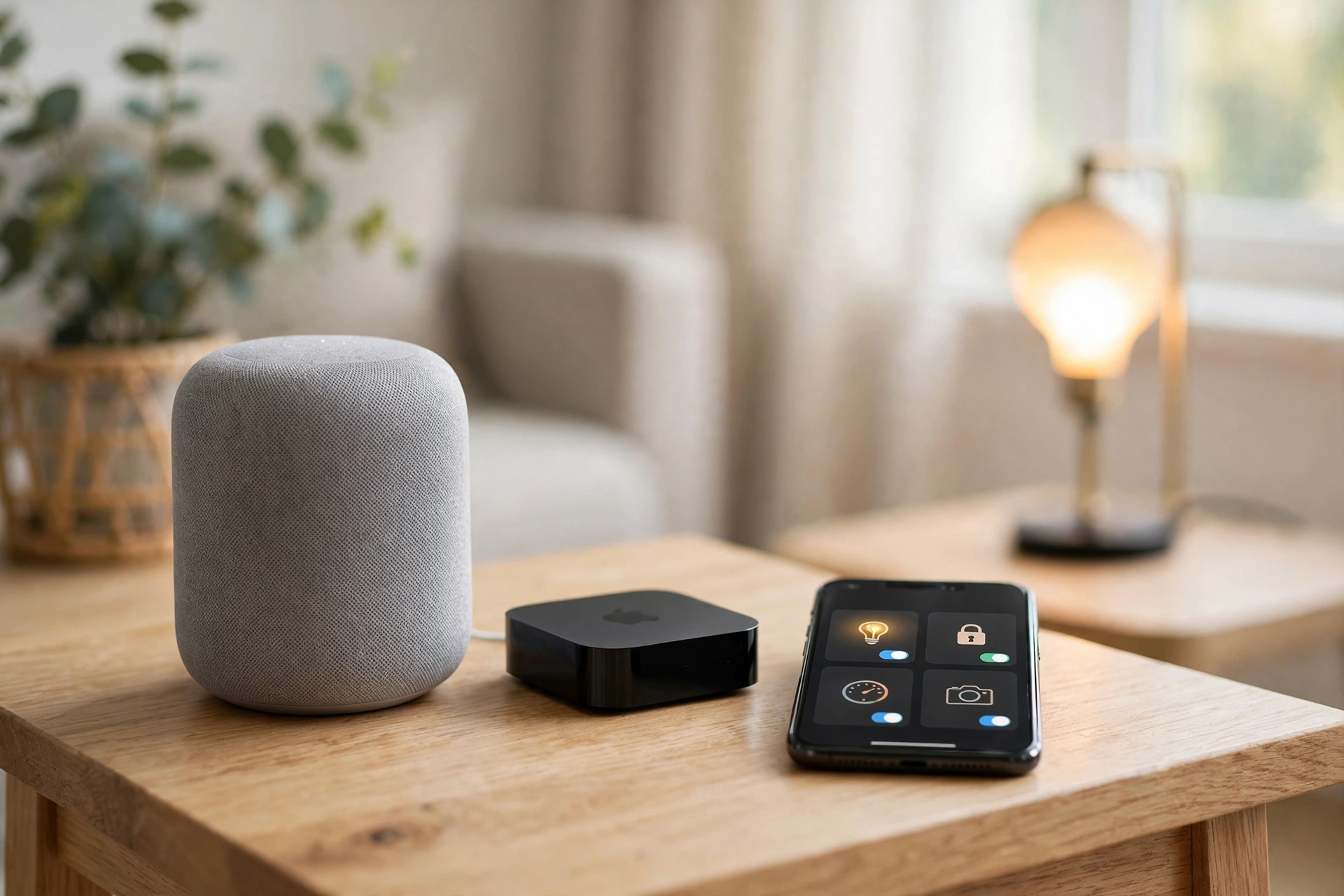
A Thread border router is the bridge between your Thread devices and the rest of your home network. Without one, Matter-over-Thread devices cannot talk to your phone or your Wi-Fi. With one, they just work.
Here is the part most guides bury: you probably already own a Thread border router. They are built into devices you may already have in your home:
- Apple TV 4K (2nd generation and later) and HomePod mini both contain Thread border routers.
- Amazon Echo (4th generation) and newer Echo devices include Thread.
- Google Nest Hub (2nd generation), Nest Wifi Pro, and Nest Hub Max include Thread.
- Samsung SmartThings Station and newer SmartThings hubs include Thread.
If you own any of these, you already have the hub Matter needs — no extra purchase required. If you do not, a HomePod mini, an Echo, or a Nest Hub costs roughly $50–100 and doubles as a smart speaker, which is a reasonable first purchase for a Matter home.
One caveat: your border router must support the same platform you use. A HomePod mini is a Thread border router for Apple Home; an Echo is one for Alexa. In practice, most homes settle on one primary platform, and the border router that comes with it is enough. If you run a mixed-platform home, a dedicated hub such as a SmartThings Station or a Home Assistant setup can act as a universal border router.
If you are wondering whether you need a hub at all, our guide Do You Need a Smart Home Hub in 2026? explains the difference between a hub, a border router, and no hub at all.
Zigbee in 2026: The Cheap, Proven Workhorse
Zigbee is the oldest of the three, and it shows in the best way: it is mature, cheap, and everywhere.
Why Zigbee is still worth buying:
- Lowest cost per device. Zigbee sensors, switches, and bulbs are routinely $8–25 — often half the price of the equivalent Matter or Z-Wave device. If you need twenty door sensors, the savings are real.
- Largest device selection. Thousands of certified Zigbee devices exist, including many that have no Matter equivalent yet. Budget brands, specialist sensors, and unusual form factors are almost always Zigbee first.
- Excellent battery life. Zigbee sensors run for two to five years on a single coin battery. For a sensor you stick on a window and forget about, that matters.
- Strong mesh. Every mains-powered Zigbee device (bulbs, plugs, switches) repeats the signal, so the network gets stronger as you add devices. A big Zigbee network is a reliable one.
Where Zigbee falls short:
- It shares the 2.4 GHz band with Wi-Fi. In a crowded apartment building with forty neighbour networks, Zigbee can suffer interference. It usually still works, but it is the reason some people find their Zigbee sensors occasionally slow to respond.
- It needs a hub. Zigbee devices do not connect to your phone directly; they need a Zigbee hub or a bridge (Philips Hue Bridge, IKEA Dirigera, Amazon Echo with Zigbee built in, or a Home Assistant setup with a Zigbee stick). That is an extra box and an extra app.
- Ecosystem lock-in. A Zigbee device bought for one platform does not always work with another. Matter was invented largely to fix this problem, and it is the main reason new buyers are steered towards Matter first.
Who should still buy Zigbee in 2026? Anyone building a sensor-heavy home on a budget, anyone with a large device count (50+ devices), and anyone already invested in Philips Hue or IKEA smart home gear — both are Zigbee at heart, and both now bridge into Matter, so your existing devices are not stranded.
Z-Wave in 2026: The Reliability Champion
Z-Wave is the smallest of the three ecosystems, and the most specialised. It is also, by most measures, the most reliable.
Why Z-Wave still wins on reliability:
- A dedicated frequency. Z-Wave runs on 908 MHz in the US (868 MHz in Europe) — a band no Wi-Fi router, microwave, or neighbour’s network uses. Interference is almost non-existent, which is why Z-Wave devices respond consistently even in crowded apartment buildings.
- Longest range. A single Z-Wave hop covers 30–100 metres indoors, versus 10–30 metres for Zigbee and Thread. In a large house with thick walls, that means fewer devices are needed to cover the same area.
- Z-Wave Long Range. The newer Long Range standard supports up to 4,000 devices on a star network with up to a mile of range per hop — built for large properties, outbuildings, and detached garages.
- Best security for locks. Z-Wave’s S2 security framework and strict certification process make it the most trusted protocol for door locks and alarm sensors. It is the protocol professional security installers reach for, and some US insurers recognise Z-Wave security systems for discounts.
Where Z-Wave falls short:
- Highest prices. Z-Wave devices typically cost $20–50 — the most expensive of the three, partly because of the certification process and partly because of smaller production volumes.
- Smallest selection. A few hundred Z-Wave devices versus thousands of Zigbee ones. You will find locks, sensors, and switches, but you will not find the long tail of budget gadgets.
- No direct Apple support. Apple has never supported Z-Wave natively. If you run Apple Home, you need a bridge (such as a Home Assistant hub or a SmartThings hub) to use Z-Wave devices.
- A hub is mandatory. Z-Wave always needs a hub, and the best Z-Wave hubs (Hubitat, Home Assistant with a Z-Wave stick, SmartThings) are aimed at enthusiasts rather than beginners.
Who should still buy Z-Wave in 2026? Anyone whose top priority is a smart lock or a security system, anyone in a large home or a Wi-Fi-congested building, and anyone who wants a system that keeps working when the internet is down. If reliability matters more than price, Z-Wave is still the answer.
Which Protocol Should You Choose? Pick by Situation
This is the section to skip to if you do not want the theory. Find your situation, buy accordingly.
| Your situation | Best protocol in 2026 | Why |
|---|---|---|
| Starting from scratch | Matter over Thread | Works with every platform, future-proof, no extra hub if you own a smart speaker |
| Already own an Apple TV, HomePod mini, Echo, or Nest Hub | Matter over Thread | You already own the border router — buy Matter devices and go |
| Apartment renter, under 15 devices | Matter over Wi-Fi | No hub to buy, works with the router you already have |
| You want dozens of cheap sensors | Zigbee | Lowest cost per device, best battery life, biggest selection |
| Smart locks and home security are the priority | Z-Wave | Dedicated frequency, S2 security, best range, most reliable |
| Large home, thick walls, or a crowded apartment building | Z-Wave (or Zigbee with many mains-powered devices) | Sub-GHz signal penetrates walls and ignores Wi-Fi congestion |
| You already have Philips Hue or IKEA smart home gear | Zigbee (bridged to Matter) | Your existing devices already work, and Hue/Dirigera now bridge into Matter |
| You want everything local, no cloud at all | Zigbee or Z-Wave with Home Assistant | Fully local control, works during internet outages |
| Cameras and video doorbells | Matter over Wi-Fi (Matter 1.5) | Matter 1.5 added cameras; Wi-Fi has the bandwidth they need |
| Budget is the main constraint | Zigbee for sensors, Matter for the rest | Zigbee sensors are half the price; Matter devices are getting cheaper every year |
The honest summary: for most people in 2026, the setup you will not regret is Matter for new device purchases, Zigbee for cheap sensors, and Z-Wave for locks and security. That is a mixed home, and it is the normal one — not a compromise.
Can You Mix Matter, Zigbee, and Z-Wave?
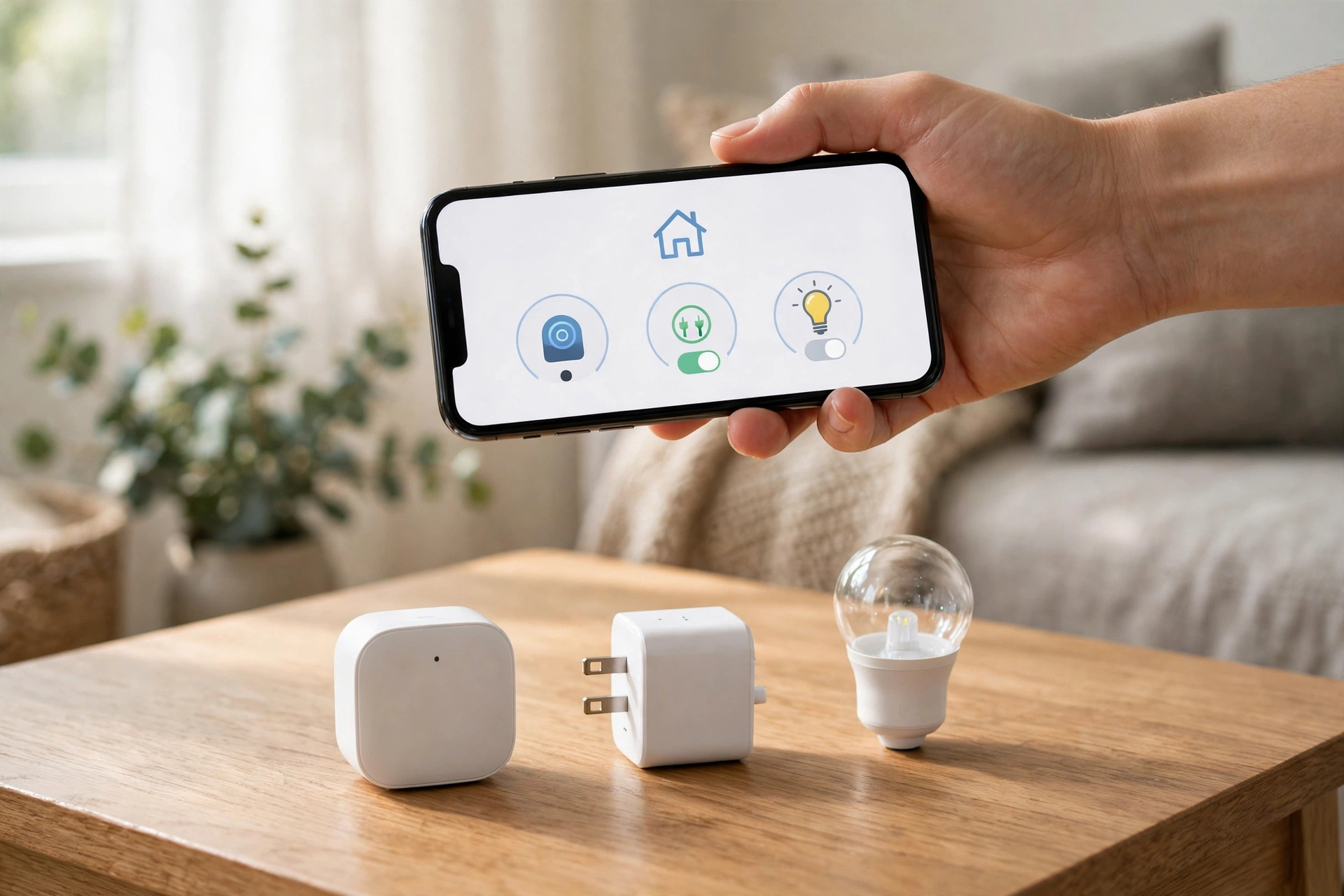
Yes — and most experienced smart home owners do. Mixing protocols is not a hack; it is how the best smart homes are built. Each protocol is best at something, so you use each one where it wins.
How mixing works in practice:
- A multi-protocol hub runs them all. Hubs such as Samsung SmartThings, Hubitat, and Home Assistant with a Zigbee/Z-Wave stick can run Matter, Zigbee, and Z-Wave at the same time. Your devices appear in one app, and automations can cross protocols — a Zigbee motion sensor can trigger a Matter light, and a Z-Wave lock can arm a Zigbee alarm sensor.
- Bridges connect old gear to new platforms. Philips Hue Bridge and IKEA Dirigera expose Zigbee devices to Matter, so your existing Hue bulbs appear in Apple Home or Google Home as Matter devices. You do not need to replace them.
- Matter is the glue. Because Matter devices work with every platform, they are the natural common ground. A home with a Matter light, a Zigbee sensor, and a Z-Wave lock still feels like one home, because all three are controlled from the same app.
Two rules for mixing:
- Keep it to two protocols if you are a beginner. Matter plus one other (usually Zigbee) covers almost every situation. Adding a third protocol adds a third hub, a third app, and a third thing to troubleshoot.
- Buy Matter first, then fill the gaps. Start with Matter for lights, plugs, and thermostats. Add Zigbee when you need a cheap sensor Matter does not offer yet. Add Z-Wave when you buy a lock or a security sensor. You will end up with a mixed home naturally, without ever having to plan it.
If you are starting from zero and want the full beginner’s path, our guide How to Start a Smart Home walks through the first five devices to buy, in order.
The Starter Kit: What to Buy First
Here is a concrete shopping list for a first smart home, based on the protocols above. Prices are typical US retail in late 2026.
| What to buy | Protocol | Why this one | Typical price |
|---|---|---|---|
| Smart speaker (Echo, Nest Hub, or HomePod mini) | Matter / Thread border router | Doubles as your Thread border router and your voice assistant | $50–100 |
| 2 smart bulbs (living room) | Matter over Thread | The easiest first win; works in every app | $15–25 each |
| 1 smart plug (lamp or fan) | Matter over Thread | Turns any dumb device smart; also strengthens your Thread mesh | $15–25 |
| 2 door/window sensors | Zigbee | Half the price of Matter sensors, batteries last years | $8–15 each |
| 1 smart lock | Z-Wave | Best security and reliability for the device that guards your door | $150–250 |
| Total | Mixed | A complete starter home | ~$250–400 |
That kit gives you lights, a plug, sensors, and a lock — the four device types most people actually use daily — running on three protocols, controlled from one app. If your budget is tighter, skip the lock and start with the speaker, bulbs, and sensors for around $100.
Which Ecosystem Fits Which Protocol?
The protocol and the platform are two different choices, and they interact. A quick mapping:
- Apple Home: Matter is the natural fit (Thread border routers are built into Apple TV and HomePod mini). Zigbee works through a Hue or IKEA bridge. Z-Wave needs a third-party hub such as Home Assistant — Apple does not support it directly.
- Google Home: Matter is the natural fit (Nest Hub and Nest Wifi Pro are border routers). Zigbee and Z-Wave both work through SmartThings or Home Assistant.
- Amazon Alexa: Matter is the natural fit (Echo devices are border routers, and some Echo models have Zigbee built in). Z-Wave works through SmartThings or a dedicated hub.
- Samsung SmartThings: the most protocol-friendly platform — Matter, Zigbee, and Z-Wave all run natively on a SmartThings hub, which makes it the easiest choice for a mixed home.
For a full platform comparison, see our guide Alexa vs Google Home vs Apple HomeKit: Which Smart Home Ecosystem Should You Choose in 2026?.
Common Mistakes to Avoid
1. Buying Wi-Fi devices for everything. Wi-Fi smart home devices are cheap and easy to find, but they drain batteries fast, crowd your router, and stop working well once you have more than a dozen of them. Use Wi-Fi for cameras and doorbells, which need the bandwidth — not for sensors.
2. Buying a hub you do not need. If you own an Apple TV, a HomePod mini, an Echo, or a Nest Hub, you already have a Thread border router. Check what you own before buying a dedicated hub.
3. Buying Zigbee or Z-Wave devices with no hub. Neither protocol connects to your phone directly. Budget for the hub (or a speaker with the radio built in) before you buy the devices.
4. Mixing up Matter and Thread. Matter is the standard; Thread is the radio it usually runs on. A device labelled “Matter” might run over Wi-Fi instead of Thread, which changes its battery life and whether it needs a border router. Check the box.
5. Buying for a platform you might leave. Before Matter, switching from Alexa to Apple Home meant replacing devices. Matter fixes that for new purchases — but your older Zigbee and Z-Wave devices may not come with you. If you think you might switch platforms, buy Matter.
FAQs: Matter vs Zigbee vs Z-Wave
Is Matter replacing Zigbee and Z-Wave?
Not yet, and possibly never entirely. Matter is an application-layer standard that runs over Thread or Wi-Fi — it does not speak Zigbee or Z-Wave natively. What is happening instead is that new devices increasingly ship with Matter, while Zigbee and Z-Wave keep their strengths: Zigbee for cheap sensors, Z-Wave for locks and security. Bridges such as Philips Hue and IKEA Dirigera connect existing Zigbee gear to Matter, so nothing you own today is suddenly obsolete.
Do I need a hub for Matter?
For Matter over Wi-Fi, no — the device connects to your router like any Wi-Fi gadget. For Matter over Thread, you need a Thread border router, which is often built into a smart speaker or streaming box you already own (Apple TV 4K, HomePod mini, Echo 4th generation, Nest Hub). If you own none of those, a smart speaker costing $50–100 covers it.
Which protocol is best for a smart lock?
Z-Wave. Its dedicated sub-GHz frequency avoids Wi-Fi interference, its S2 security framework is the strongest of the three, and its range is the longest — which matters when the lock is on a front door far from your router. Matter locks are improving fast and are a fine second choice, especially if you want the lock in every app at once.
Does Zigbee interfere with Wi-Fi?
It can, because both use the 2.4 GHz band. In practice, most homes never notice: Zigbee uses very little bandwidth, and modern routers and Zigbee hubs pick channels that avoid each other. If you live in a dense apartment building with dozens of neighbouring networks, Z-Wave (on its own frequency) or Matter over Thread with a well-placed border router will be more consistent.
Can I use Zigbee devices with Apple Home?
Not directly — Apple has never supported Zigbee natively. The usual route is a bridge: a Philips Hue Bridge or IKEA Dirigera exposes Zigbee devices to Apple Home as Matter devices. Alternatively, a Home Assistant hub can bridge Zigbee into Apple Home. If Apple Home is your main platform and you are starting fresh, buy Matter devices instead.
What happens to my smart home if the internet goes down?
It depends on the protocol and the hub. Matter over Thread, Zigbee, and Z-Wave are all local protocols: with a local hub (or a border router), your lights, sensors, and locks keep working without the internet. Wi-Fi devices are the exception — many of them depend on a company’s cloud server, so they stop responding when your connection drops. This is one of the strongest practical reasons to prefer Thread, Zigbee, and Z-Wave over Wi-Fi for anything that is not a camera.
Disclaimer: This guide is general information about smart home protocols, not professional installation or security advice. Prices and device availability change; always check the manufacturer’s own page before buying. Smart lock and security choices affect the safety of your home — if you are unsure, talk to a qualified installer.
No Day 1 ranking is promised or claimed for this post.