
Do You Need a Smart Home Hub? The Short Answer
Do you need a smart home hub in 2026? Probably yes, eventually — but not on day one. If you only have one or two Matter devices that run over Wi-Fi, like a smart plug or a smart bulb, your phone is enough and you do not need a hub yet. But the moment you want to control your home when you are away, run automations, share control with your household, or add battery-powered sensors and locks, you need a hub — or more precisely, a Matter controller and, for Thread devices, a Thread border router. The good news is that in 2026 the “hub” is usually a speaker or streaming box you would buy anyway: a HomePod mini, a Nest Hub, or an Echo. You rarely need to buy a separate box just to be a hub.
The confusion is understandable. For years, every smart home brand had its own hub, its own app, and its own incompatible devices. Matter was supposed to end that. It mostly has — but it did not remove the hub entirely. It changed what a hub does, and when you need one. This guide explains Matter simply, shows you exactly when a hub is required and when it is not, and compares the hub options for Apple, Google, and Alexa so you can pick once and pick right.
What Is a Smart Home Hub, Exactly?
A smart home hub is a device that sits in your home and does three jobs your phone cannot do on its own: it stays on and connected all the time, it speaks the low-power wireless languages your battery devices use, and it runs your automations even when your phone is in your pocket, asleep, or miles away.
But in 2026, “hub” is really three different things bundled together, and it helps to separate them:
A Matter controller is the brain. It is the device or app that sends commands — “turn off the bedroom light” — and keeps the list of your devices. Your phone’s app can be a controller for basic control, but only while the phone is at home and awake.
A Thread border router is the bridge. Thread is the low-power wireless network that battery-powered sensors, locks, and buttons use. Thread devices cannot talk to your Wi-Fi network directly. A border router connects the Thread mesh to your home network, so your phone and your sensors can reach each other. Without one, Thread devices are stranded.
A bridge connects older devices to Matter. Some hubs, like the Aqara Hub M3, expose Zigbee devices to your Matter app, so a Zigbee sensor you already own can appear in Apple Home or Google Home without replacing it.
Most devices sold as hubs in 2026 do all three jobs at once. A HomePod mini is a Matter controller, a Thread border router, and an Apple Home hub in one small speaker. An Echo (4th gen) is a Matter controller, a Thread border router, and a Zigbee hub in one speaker. That is why the hub question is simpler than it used to be: you are usually choosing a speaker, not a mysterious black box.
Matter Explained Simply: The Language and the Roads
Matter is the part everyone gets confused by, so here is the simple version: Matter is a language, not a radio. It is the shared language smart home devices speak so that one device can work with Apple Home, Google Home, Alexa, and SmartThings at the same time. It was created by the Connectivity Standards Alliance (CSA) and launched as Matter 1.0 in October 2022, backed by Amazon, Apple, Google, Samsung, and hundreds of device makers. Since then it has moved through several versions — Matter 1.5 in November 2025 added cameras and more device types, and Matter 1.6 in June 2026 added easier sharing between ecosystems and NFC setup.
The language needs a road to travel on. Matter runs on three roads:
- Matter over Wi-Fi — for anything plugged into mains power: smart plugs, bulbs, switches, and most cameras. Wi-Fi devices connect straight to your router. No hub is needed for basic control.
- Matter over Thread — for battery-powered devices: door and window sensors, motion sensors, smart locks, buttons, and remotes. Thread is a low-power mesh network: mains-powered Thread devices relay messages for each other, so coverage improves as you add devices, and a battery sensor can last months or years instead of weeks. Thread devices do need a Thread border router.
- Matter over Ethernet — for wired devices, like some hubs and bridges.
Bluetooth Low Energy is used only during setup, to pair a new device. It is not how devices communicate day to day.
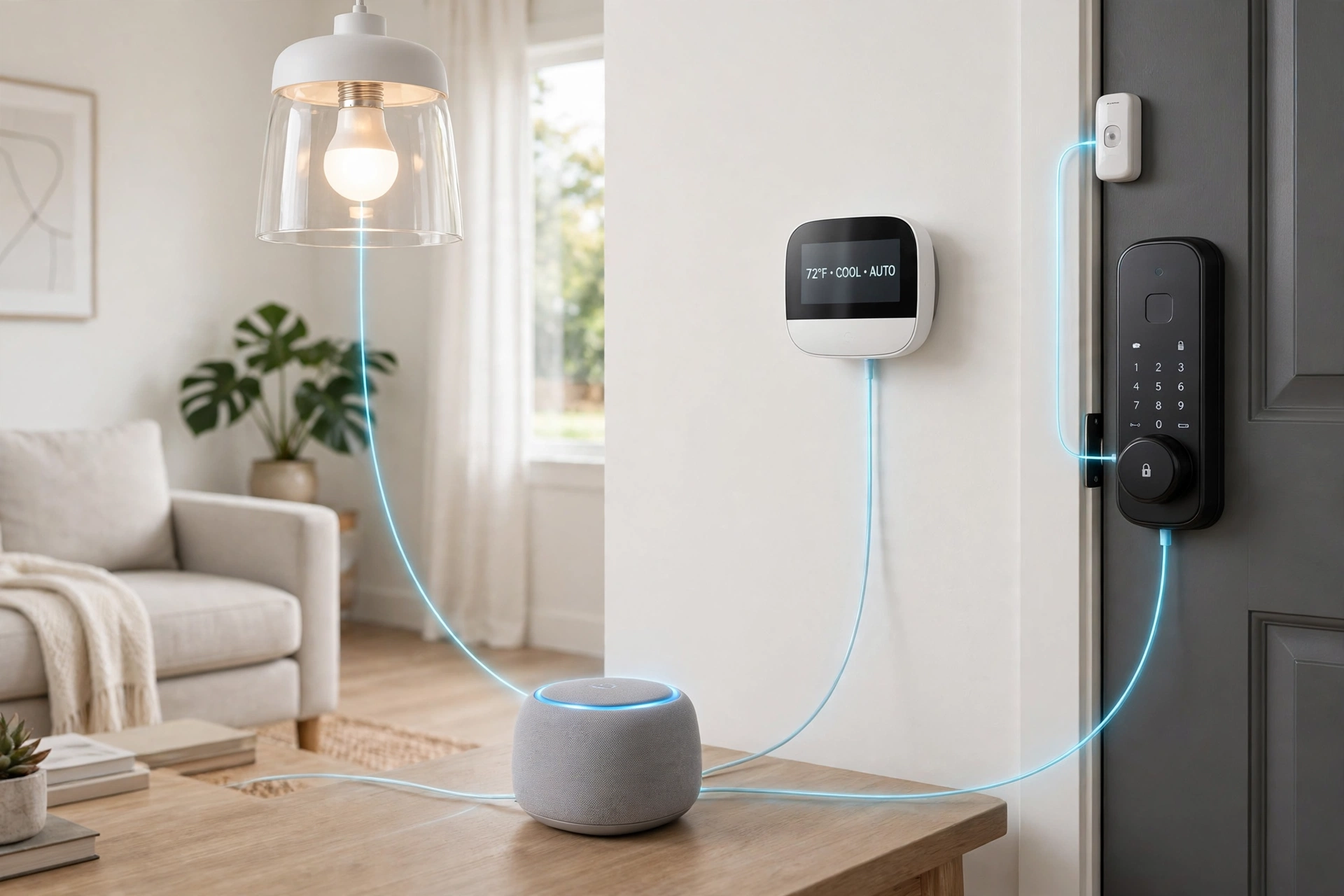
Two things Matter does not do, and the marketing often glosses over them. First, Matter does not replace Zigbee or Z-Wave. Those are older mesh protocols with huge ranges of existing devices, and they still need their own hub or coordinator. A Zigbee bulb is not a Matter bulb unless it is bridged through a hub. Second, Matter does not cover every device type equally. Cameras were only added in Matter 1.5, and coverage for some device types is still uneven — a camera choice still locks you into an ecosystem more than any other device, which is why our guide to Alexa vs Google Home vs Apple HomeKit treats cameras as a separate decision. A Matter badge means the device speaks the shared language; it does not guarantee every feature works in every app.
Do You Need a Hub? The Decision Table
The honest answer depends on what you own and what you want the home to do. Use this table as the shortcut:
| Your situation | Do you need a hub? | Why |
|---|---|---|
| 1–2 Matter-over-Wi-Fi plugs or bulbs, phone at home | No | Your phone app is the controller; Wi-Fi devices talk to your router directly |
| You want to control devices when away from home | Yes | Only an always-on hub can relay commands while you are out |
| You want automations (lights on at sunset, lock at night) | Yes | Automations run on the hub, not on your phone |
| You want to share control with family or housemates | Yes | Sharing and notifications need a home hub (Apple requires one) |
| You have, or plan to buy, battery sensors, locks, or buttons | Yes | Thread devices need a Thread border router |
| You have Zigbee or Z-Wave devices | Yes | They need their own hub or coordinator (or a bridging hub) |
| You have a smart TV or speaker you already own that is also a hub | You already have one | Apple TV 4K, HomePod, Nest Hub, and Echo 4th gen all count — check the list below |
| You rent, and you only want a plug and a bulb | No | Start hub-free; add a hub later if you add sensors or automations |
The pattern is simple: control from the sofa needs no hub; control from anywhere, automation, and battery sensors do. Most people start in the first row and land in the second group within a year, which is why buying a hub-shaped speaker early is usually the right move — you get a speaker now and a hub when you need it, for the same money.
5 Situations Where You Do Need a Hub
1. Remote control.
This is the most common reason. Without a hub, your phone talks to your devices over your home Wi-Fi. Leave the house, and that connection is gone. A hub stays home, stays online, and relays your commands from anywhere. It also lets you check whether you left the lights on, or lock the door after you have already left.
2. Automations.
An automation is a rule: “turn the porch light on at sunset,” “lock the front door at 11 pm,” “turn the heating down when everyone leaves.” Automations run on the hub, around the clock, whether your phone is charged, at home, or even switched off. Without a hub, most platforms can only run automations while your phone is present — which defeats the purpose.
3. Household sharing and notifications.
Apple Home requires a home hub to share control of your home with other people and to receive Home notifications. Google and Amazon have similar requirements for shared households and for reliable notifications. If more than one person controls the home, a hub is not optional.
4. Battery-powered Thread devices.
Door sensors, motion sensors, leak sensors, smart locks, and wireless buttons mostly run on Thread, because Wi-Fi would drain their batteries in weeks. Thread devices cannot reach your network without a Thread border router. Buy one Thread sensor without a border router and it will not work at all — this is the single most common beginner mistake in 2026.
5. Zigbee, Z-Wave, and older devices.
If you already own Zigbee bulbs or sensors, or Z-Wave locks and switches, they need a hub that speaks their protocol. Some hubs bridge them into Matter — the Aqara Hub M3 bridges Aqara Zigbee devices, and Samsung’s SmartThings hubs speak Zigbee and Thread — so you can keep working gear instead of replacing it.
3 Situations Where You Don’t Need a Hub (Yet)
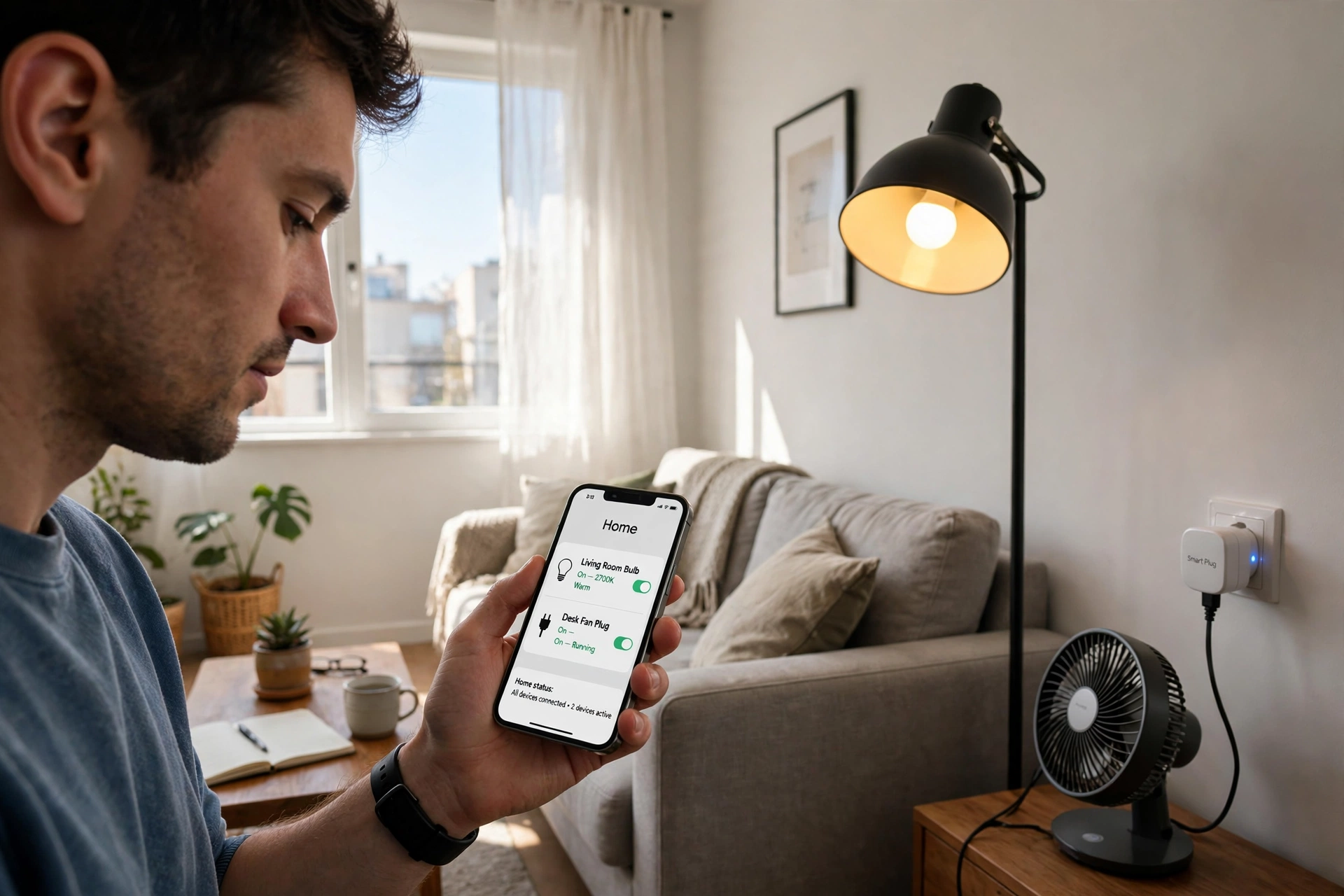
1. You are starting with one or two Wi-Fi devices.
A Matter smart plug and a Matter smart bulb, controlled from your phone while you are home, need nothing else. This is the cheapest way to try a smart home, and it is exactly how our guide on how to start a smart home recommends beginning: one ecosystem, a couple of devices, no hub on day one.
2. You only want voice control in one room.
If you have a smart speaker and a Wi-Fi bulb in the same room, the speaker is the controller while you are there. You do not need a separate hub for that. (Note that the speaker often is a hub anyway — an Echo or HomePod mini already contains one — so you may have a hub without realising it.)
3. You rent and you want a simple, portable setup.
A couple of Matter-over-Wi-Fi plugs and bulbs travel with you when you move, need no drilling or wiring, and work with just your phone. Add a hub only if you add sensors or automations later. There is no penalty for waiting: Matter devices you buy now will still work with a hub you add next year.
Hub Comparison by Ecosystem: What to Buy in 2026
You should buy the hub that matches the ecosystem you already live in — the phone in your pocket decides this more than any spec sheet. Here is the comparison:
| Ecosystem | Cheapest hub | What it is | Thread border router? | Approx. price (US list) |
|---|---|---|---|---|
| Apple Home | HomePod mini | Speaker + hub | Yes | $99 |
| Apple Home | Apple TV 4K (128 GB, Wi-Fi + Ethernet) | Streaming box + hub | Yes | $129–$149 |
| Google Home | Nest Hub (2nd gen) | Smart display + hub | Yes | $99.99 |
| Google Home | Google Home Speaker | Speaker + hub | Yes | $99.99 |
| Google Home | Google TV Streamer (4K) | Streaming box + hub | Yes | $99 |
| Amazon Alexa | Echo (4th gen) | Speaker + Zigbee hub | Yes | $99.99 (often on sale) |
| Amazon Alexa | Echo Dot Max | Speaker + hub | Yes | Around $119.99 |
| Amazon Alexa | Echo Hub | Wall-mount dashboard + hub | Yes | Around $180 |
| Samsung SmartThings | SmartThings Station | Dedicated hub | Yes | $60 |
| Multi-platform | Aqara Hub M3 | Zigbee bridge + Thread router | Yes | Around $79 |
Prices are US list prices and vary by country and sale — always check the current price before buying. A few traps to avoid: the Wi-Fi-only 2022 Apple TV 4K has no Thread radio, so it cannot run Thread sensors — only the Wi-Fi + Ethernet model has Thread. The Nest Hub Max does not have Thread, even though the smaller Nest Hub (2nd gen) does. And the iPad is no longer a home hub — Apple phased iPads out as hubs with iPadOS 16, and support for the old Home architecture ended on 10 February 2026, so an iPad cannot be your hub in 2026 no matter what an old guide says.
Apple Home: HomePod mini or Apple TV 4K
Apple’s hubs are the HomePod mini, HomePod (2nd gen, $299), and Apple TV 4K. All three are Matter controllers and Thread border routers. The HomePod mini at $99 is the cheapest way into a full Apple Home: it is a good kitchen or bedroom speaker, and it runs your automations, sharing, and Thread sensors. If you already want a streaming box, the Apple TV 4K (Wi-Fi + Ethernet model, $129–$149) does the same hub job and adds a TV. A newer HomePod mini 2 launched in late 2026 — check the current price before buying, as it varies by region and launch stock.
One Apple quirk worth knowing: Apple’s own pages disagree about whether you can add Matter accessories without a hub at all. Newer pages say an iPhone on recent iOS can add and control Matter accessories without a hub, and an iPhone 15 Pro or later can even control Thread accessories directly. Older pages say a hub is required. Either way, plan on a hub: without one you lose remote access, automations, and sharing, which are the reasons most people want a smart home in the first place.
Google Home: Nest Hub or Google Home Speaker
Google’s hub options are the Nest Hub (2nd gen, $99.99), a 7-inch smart display that doubles as a Matter controller and Thread border router, the Google Home Speaker ($99.99), and the Google TV Streamer (4K, $99). The Nest Hub is the best pick for most Google households: it is a dashboard for your devices, a photo frame, and a hub in one. The Google Home Speaker is the choice if you want a speaker rather than a screen. Both run Gemini for Home, Google’s replacement for Google Assistant, which is the strongest of the three voice assistants at understanding natural, conversational requests.
Note that the Nest Hub (2nd gen) is an older model now and is sometimes out of stock at the Google Store — if you cannot find one, the Google Home Speaker or the TV Streamer covers the same hub job.
Amazon Alexa: Echo 4th Gen or Echo Dot Max
Amazon’s hub story is the cheapest to enter. The Echo (4th gen, $99.99 list, regularly on sale for much less) is a Matter controller, a Thread border router, and a Zigbee hub, so it covers the widest range of devices of any single speaker. The Echo Dot Max (around $119.99) is the newer speaker-hub with Zigbee, Thread, and Matter. The Echo Hub (around $180) is a wall-mountable dashboard for people who want a fixed control panel. Alexa Routines are still the most powerful automation builder of the three ecosystems, with conditional logic the others do not match. If your home is mostly Alexa and you want the most devices at the lowest prices, start with an Echo 4th gen.
Samsung SmartThings and the Multi-Platform Route
If you do not want to pick a side, or you have a mix of Zigbee and Matter devices, a dedicated hub makes sense. The Samsung SmartThings Station ($60) is the cheapest hub with Matter, Thread, and Zigbee in one box, and it works with Apple, Google, and Alexa through Matter. The Aqara Hub M3 (around $79) bridges Aqara’s Zigbee devices into Matter and is itself a Thread border router. For people who want full local control and do not mind tinkering, Home Assistant Green ($99) and Hubitat are the power-user options — they run everything locally, work with almost every protocol, and need more setup than the speaker hubs. Most beginners should not start here, but it is good to know the option exists if you outgrow the mainstream ecosystems.
How to Set Up a Hub (Without Breaking Your Network)
Setting up a hub takes about ten minutes if your network is healthy, and most failures are network settings, not hardware. Follow these steps:
- Pick your ecosystem first. Choose the one that matches your phone: iPhone → Apple Home, Android/Google services → Google Home, Alexa devices → Alexa. Our ecosystem guide, Alexa vs Google Home vs Apple HomeKit, compares all three in detail.
- Put the hub where it can hear your devices. A hub in a far bedroom cannot reach a Thread sensor by the front door. Put it centrally, plugged in, and on your main Wi-Fi network — not a guest network.
- Keep everything on one network. Matter and Thread rely on local IPv6 and multicast discovery. Guest networks, client isolation, and VLANs can block them, so keep your phone, hub, and accessories on the same network with the same network name.
- Leave 2.4 GHz on. Many smart home devices only use the 2.4 GHz band. If your router has separate names for 2.4 GHz and 5 GHz, keep the 2.4 GHz network on under one name, or use a single combined network name.
- Add devices one at a time. Scan the Matter QR code in your ecosystem’s app, wait for the device to appear, name it and assign it to a room, then add the next one. Adding five devices at once is how pairing failures happen.
- Update the hub’s firmware. Hub firmware updates add Matter features and fix Thread reliability. Check for updates in your ecosystem’s app after setup, and keep auto-update on.
If a device will not pair, the fix is almost always one of these: the device is too far from the hub or router, your phone is on a different network or a VPN, or Bluetooth is off on your phone (Matter uses Bluetooth for setup). Move closer, turn the VPN off, and try again before buying anything new.
What Matter Still Doesn’t Do in 2026
Matter is much better than the walled gardens it replaced, but it is not finished. Be honest with yourself about these limits before you buy:
- Cameras are still the weak spot. Matter only added cameras in version 1.5, and support is still rolling out. A camera choice still locks you into an ecosystem more than any other device.
- Not every feature survives the jump. A device can be Matter-certified and still lose advanced features in your app of choice — energy monitoring, custom scenes, and device-specific settings often only work in the manufacturer’s own app.
- Device-type coverage is still uneven. Some categories, like robot vacuums and energy management, arrived late or are still partial. Check that your specific device type is supported before assuming it is.
- Sharing between ecosystems is improving, not perfect. Matter 1.6 added Joint Fabric, which makes it easier to share a device between Apple, Google, and Alexa at once, but multi-admin setup is still fiddly and not every device supports it.
- You still need the right radio. A Matter badge does not tell you whether the device uses Wi-Fi or Thread. A Thread device without a border router will not work, badge or no badge. Always check the transport — Wi-Fi or Thread — on the box before buying.
None of this means you should wait. Matter devices you buy today will keep working, and the standard is moving in the right direction. It means you should buy a hub, buy Matter devices, and check the fine print on cameras and advanced features.
The Bottom Line
Do you need a smart home hub in 2026? If you only have a plug and a bulb, no — your phone is enough. If you want remote control, automations, household sharing, or any battery-powered sensor or lock, yes — and the hub is almost certainly a speaker or streaming box you would buy anyway. Buy the one that matches your phone: a HomePod mini or Apple TV 4K for Apple, a Nest Hub or Google Home Speaker for Google, an Echo 4th gen or Echo Dot Max for Alexa. Buy Matter devices, prefer Thread for battery gear, and put the hub on your main network. That is the whole decision — and once the hub is in place, adding the next device takes minutes, not a weekend.
FAQs: Do You Need a Smart Home Hub?
Do I need a smart home hub for Matter devices?
It depends on the device. Matter-over-Wi-Fi devices (plugs, bulbs) work with just your phone app and your router — no hub needed. Matter-over-Thread devices (battery sensors, locks, buttons) need a Thread border router, which is built into most smart home hubs. You also need a hub for remote control, automations, and sharing, even for Wi-Fi devices.
Can I use a smart home without a hub?
Yes, for a small setup. One or two Matter-over-Wi-Fi plugs or bulbs, controlled from your phone while you are home, need no hub at all. You will miss out on remote control, automations, and battery sensors, but for trying out a smart home, a hub-free start is the cheapest way in — and you can add a hub later without replacing anything.
Is my phone a smart home hub?
Not quite. Your phone can act as a Matter controller for basic control while it is at home, awake, and on your Wi-Fi. It cannot run automations while you are away, relay commands when you are out, or act as a Thread border router (except recent iPhones, which can control Thread accessories directly but are still not a substitute for a hub). A real hub is an always-on device that stays home.
What is the difference between Matter and Thread?
Matter is the language devices speak so different brands can work together. Thread is the wireless network (the road) that low-power, battery devices use to carry that language. A Matter device always runs over Wi-Fi, Ethernet, or Thread — so when you buy one, check which transport it uses, because Thread devices need a border router and Wi-Fi devices do not.
Do I need a different hub for each brand?
No. That is the point of Matter. One hub from your chosen ecosystem — a HomePod mini, a Nest Hub, or an Echo — controls Matter devices from any brand. You only need extra hubs for non-Matter protocols: Zigbee devices need a Zigbee hub, Z-Wave devices need a Z-Wave hub, though some hubs (Echo 4th gen, SmartThings Station, Aqara Hub M3) cover more than one protocol in a single box.
Is it worth buying a hub in 2026, or should I wait?
Buy one when you need it — which, for most people, is when they add their third or fourth device, their first sensor, or their first automation. Hubs are cheap (from $60) and often built into speakers you would buy anyway, so there is little reason to wait, and no reason to buy a dedicated hub before you have any devices at all. Start with one or two Wi-Fi devices, then add a hub when your home outgrows your phone.