
Best Smartwatch Settings for Better Sleep Tracking: The Short Answer
The best smartwatch settings for sleep tracking are simple: turn on your watch’s sleep mode, keep heart-rate tracking and wrist detection on, and turn off the always-on display, raise-to-wake, notifications, and continuous blood-oxygen tracking. On an Apple Watch that means Sleep Focus plus Track Sleep with Apple Watch in the Health app. On Garmin it means Sleep Mode with Activity Tracking left on. On Fitbit it means Sleep Mode with heart-rate tracking on. On Samsung it means Sleep Mode with the always-on display off. Charge the watch to at least 30% before bed — a dead watch records nothing — and wear it one notch looser than your daytime fit, with the sensor flat on your skin. Do that, and your watch will record sleep duration and stages reliably night after night. Skip the sleep mode, and the watch may never realise you are asleep at all.
That last point is the one most guides skip. A smartwatch does not just record sleep because it is on your wrist. It decides you are asleep from a combination of stillness, heart rate, and the schedule you set. If notifications keep lighting the screen, or the watch has no bedtime window to work with, it can log your night as a long stretch of restless wakefulness — or record nothing at all. The settings below take about five minutes, and they are the difference between a useful sleep record and a blank chart.
What Your Watch Actually Measures (and What It Cannot)
Before changing settings, it helps to know what the numbers mean. No consumer smartwatch measures sleep the way a sleep lab does. A lab (polysomnography) reads brain waves, eye movements, and muscle activity directly. Your watch has none of those sensors. Instead, it infers sleep stages from movement, optical heart rate, heart-rate variability, skin temperature, and breathing patterns.
That is why the honest way to use sleep data is as a trend, not a verdict. Watches are generally good at telling sleep from wake — and therefore good at total sleep time — but only moderately accurate at separating deep, light, and REM sleep. A single night’s deep sleep total is an estimate. A month of nights, recorded the same way, shows whether you are sleeping longer, waking less, or drifting earlier. The settings in this guide mainly prevent missing or corrupted data. They cannot make a consumer wearable as precise as a lab, and any guide that promises otherwise is overselling.
One practical consequence: if you change a setting, give it a week before judging the result. One night proves nothing. Seven nights under the same settings tells you whether the change helped.
The 5 Settings That Matter on Every Watch
Whatever brand you wear, these five are the foundation. Get them right first, then use the brand sections below for the exact menu paths.
| Setting | What to do | Why it matters |
|---|---|---|
| Sleep mode / Sleep Focus | Turn it ON, on a schedule | Tells the watch you intend to sleep, so it stops treating stillness as wakefulness and dims the screen |
| Heart-rate tracking | Keep it ON overnight | Sleep stages are inferred largely from heart rate and its variability — turn it off and stages disappear |
| Wrist detection / Activity Tracking | Keep it ON | Lets the watch confirm it is actually being worn; without it, background heart rate and sleep data stop |
| Always-on display + raise-to-wake | Turn them OFF at night | A lit screen wakes you and drains the battery; sleep mode usually handles both, but check |
| Notifications | Silence all but the alarm | A buzzing wrist is a broken night, and every wake-up shows up as fragmented sleep |
Two more that people get wrong: GPS should be off overnight — it adds nothing to sleep data and is the hungriest sensor on the watch — and continuous blood-oxygen (SpO2) tracking can usually go off or to during sleep only. SpO2 is useful for occasional checks, but all-night continuous readings cost battery and rarely change the sleep record. The exception is if your doctor asked you to monitor overnight oxygen — then leave it exactly as they said.
Turn On Your Watch’s Sleep Mode First
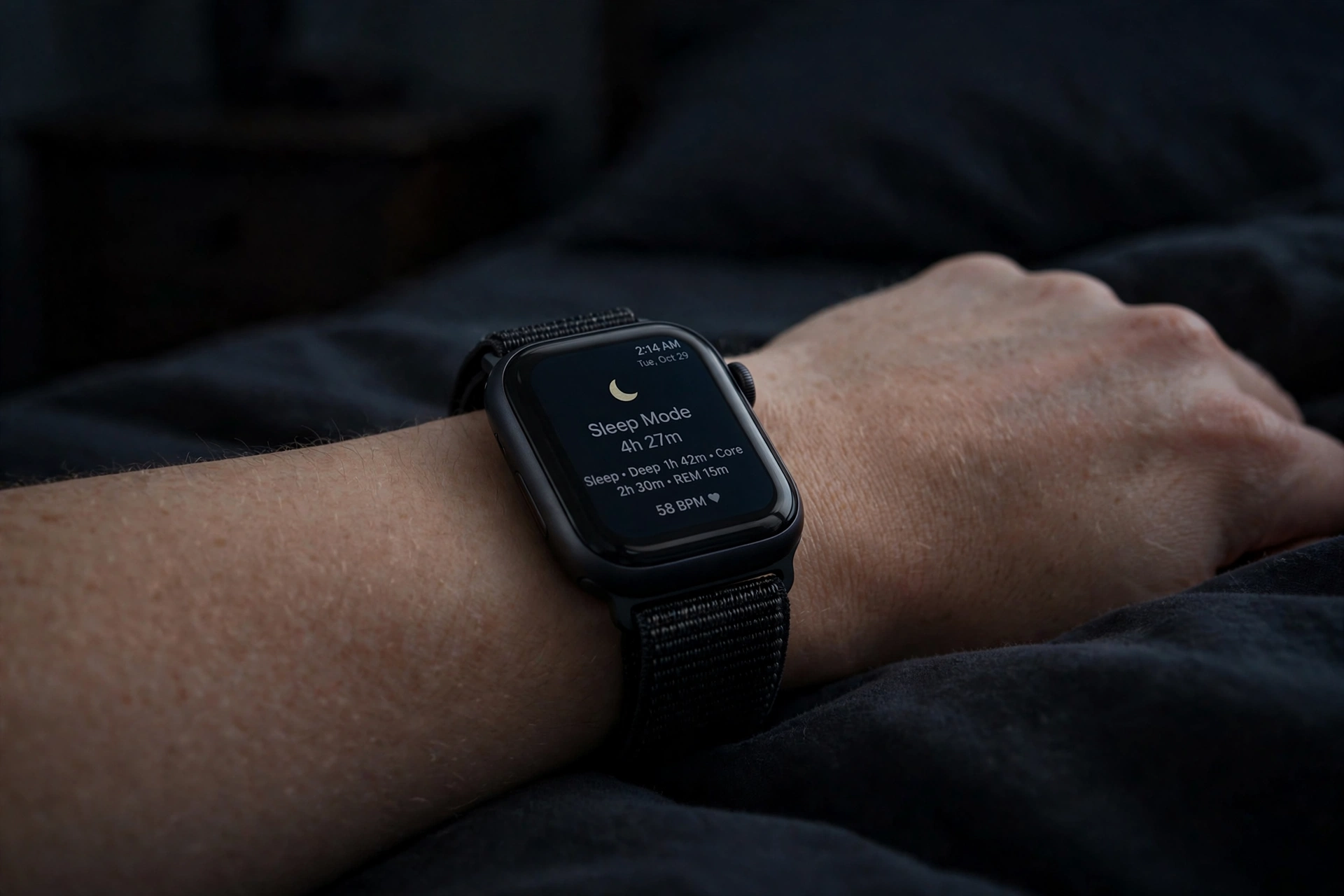
Every major brand has a sleep mode, but they all call it something slightly different, and on most watches it is not on by default. This is the single most common reason a watch records no sleep: the owner wore it to bed, but never told it bedtime existed.
- Apple Watch: Sleep Focus, set up in the Health app on your iPhone (see the Apple section below). It dims the screen, silences notifications, and tells the watch to track sleep for that window.
- Garmin: Sleep Mode, inside Do Not Disturb or your sleep schedule. It dims the display and silences alerts for the night.
- Fitbit: Sleep Mode, in the quick settings. It dims the screen and mutes notifications, but does not switch off any sensor — your sleep data is unaffected.
- Samsung Galaxy Watch: Sleep Mode (sometimes called Bedtime Mode). It silences notifications, dims the display, and turns off raise-to-wake.
Set a regular schedule rather than switching it on by hand each night. A fixed bedtime and wake time does two jobs: it automates the mode, and it gives the watch a window to classify sleep against. If your schedule shifts at weekends, set a second weekend schedule instead of leaving the weekday one running — a watch that thinks you should be asleep at 10:30 PM will misread a midnight Friday.
Apple Watch: Sleep Focus, Wrist Detection, and the 30% Rule
Apple Watch sleep tracking is free and built in, but it needs two things switched on separately, and most people only do one of them. The setup takes about five minutes in the Watch app on your iPhone.
- Open the Health app on your iPhone, tap Browse, then Sleep. Set a sleep schedule — a bedtime and a wake time — and turn on Track Sleep with Apple Watch. This is the master switch. Without it, the watch does not record sleep at all.
- Set up Sleep Focus for the same window. Sleep Focus dims the watch, silences notifications, and signals to the watch that you intend to sleep. Sleep doctors point to this as the setting that most improves accuracy: without it, the watch can misread late-night phone use or movement as wakefulness.
- Leave Wrist Detection on (Watch app, Passcode, Wrist Detection). Apple links it to background and resting heart-rate recording. Without it, the watch cannot reliably track movement, heart rate, or sleep stages, and your sleep record may come back incomplete.
- Keep respiratory-rate measurement on if you want that metric. It is not a medical diagnosis — Apple says so plainly — but it is a useful trend alongside heart rate.
- Turn on Charging Reminders (Watch app, Sleep). Apple recommends charging to at least 30% before bed. If the battery dies during the night, no sleep data is recorded, even if everything else was configured correctly. Apple also needs at least one hour of overnight wear before it will record a night at all.
What you get: on Series 9, Series 10, Apple Watch Ultra 2 and later running watchOS 11 or later, the Health app reports four stages — Awake, REM, Core, and Deep. Older models report sleep duration and heart rate only, without stages. Sleep Apnea notifications are available on Series 9 and later, Apple Watch Ultra 2, and Apple Watch SE 3 — they flag breathing disturbances over 30 days, they do not diagnose sleep apnea, and a flag is a reason to talk to a doctor, not a diagnosis.
What to turn off at night: always-on display (or let Sleep Focus dim it), raise-to-wake, and non-essential notifications. Theatre Mode is a handy extra if Sleep Focus is not set: swipe up and tap the masks icon, and the screen stays dark unless you tap it. And use the watch’s silent vibrating alarm instead of your phone — it wakes you without waking the person next to you.
Garmin: Sleep Mode On, Activity Tracking On, Battery Saver Off
Garmin watches are among the best sleep trackers for battery life, but they have one trap that catches people: an aggressive Battery Saver profile can switch off the very tracking that records sleep.
- Turn on Sleep Mode for your sleep window (long-press the power/light button, then the moon icon, or set it in your sleep schedule). It silences alerts and dims the display.
- Keep Activity Tracking on. This is the trap. A power profile that turns off Activity Tracking removes sleep data entirely — the watch cannot record a night it was told not to track. If you use Battery Saver overnight, pick a less aggressive profile, or check that Activity Tracking is still enabled inside it.
- Turn off continuous pulse oximetry unless you need it. Garmin’s all-day Pulse Ox is a battery hog. Set it to During Sleep only, or off, unless a clinician asked for continuous readings.
- Use Do Not Disturb alongside Sleep Mode if your model keeps them separate. The goal is the same as on Apple: nothing lights up or buzzes between bedtime and morning except the alarm.
- Wear it snug, not tight. Garmin notes that motion and device position affect accuracy. A watch sliding around the wrist overnight produces the same noisy data as a loose Apple Watch — see our fit guide for the sleep fit, which is one notch looser than daytime.
Garmin reports sleep in stages (deep, light, REM, awake) plus a Sleep Score, resting heart rate, and — on supported models — HRV status and Body Battery recovery. Judge the score over a week, not a night: a single bad score after a late dinner is noise, a falling weekly trend is a signal.
Fitbit: Sleep Mode, Heart Rate, and the Two-Finger Rule
Fitbit’s sleep tracking is automatic once the basics are right, which makes it easy to set up — and easy to break by wearing the band wrong.
- Turn on Sleep Mode in the quick settings before bed. It dims the screen and mutes notifications. Unlike a battery-saver mode, it does not switch off any sensor, so your sleep record is unaffected.
- Keep heart-rate tracking on. Fitbit infers sleep stages from heart rate and movement. With heart-rate tracking off, you get sleep duration only — no stages, no Sleep Score.
- Wear it right: two to three finger-widths above the wrist bone, snug, sensor flat on the underside of the wrist. Google’s own guidance for Fitbit puts the tracker there, not on the wrist bone and not dangling loose. A classic wrist band, not a clip or pendant, is what sleep tracking expects.
- Turn off the always-on display, GPS, and optional SpO2 for the night. None of them improves sleep data; all of them cost battery. Sync the watch after waking — the sleep record and Sleep Score appear in the Fitbit app once the night’s data has synced.
- Charge before bed, not overnight. A Fitbit lasts days, so this is rarely a problem, but a watch that dies at 3 AM records half a night. Top it up during your evening routine.
Fitbit’s Sleep Score (out of 100) bundles duration, depth, restoration, and wakefulness. Above 80 is generally a good night; below 70 suggests something to look at. As with every brand, the trend matters more than any single score.
Samsung Galaxy Watch: Sleep Mode and Snore Detection
Samsung’s sleep tracking lives in Samsung Health, and its setup mirrors Apple’s: a mode, a schedule, and the right sensors left on.
- Turn on Sleep Mode (sometimes labelled Bedtime Mode) for your sleep window. It silences notifications, dims the display, and turns off raise-to-wake.
- Turn off the always-on display for the night, and turn off GPS. Neither helps sleep tracking.
- Keep heart-rate and blood-oxygen tracking on for sleep. Samsung measures stages from heart rate, movement, and — on supported models — skin temperature. Continuous SpO2 all day is unnecessary; during sleep only is the right compromise.
- Snore detection, if you use it, needs your phone nearby and charging on supported models — it records audio through the phone, not the watch. It is a useful flag for a conversation with a doctor, not a diagnosis of sleep apnea.
- Use the vibrating alarm on the watch instead of a phone alarm, and charge the watch during your morning routine rather than overnight.
Samsung reports a Sleep Score and a Sleep Coaching programme in Samsung Health, including a sleep animal profile after a week of nights. The coaching is only as good as the data feeding it, so the same rule applies: same settings, same schedule, for a week before you trust the trend.
What to Turn Off (the Checklist)
If you only do one thing from this post, run through this list before bed tonight. Everything here costs battery or disturbs sleep, and none of it improves the sleep record.
| Turn OFF at night | Why | Exception |
|---|---|---|
| Always-on display | Lights the room and drains battery | None — sleep mode dims it anyway |
| Raise-to-wake | Every arm movement lights the screen | None |
| Notifications (all but alarm) | A buzz is a wake-up, logged as fragmented sleep | Keep the alarm, and emergency bypass for one contact if you need it |
| GPS | Adds nothing to sleep data; hungriest sensor | None |
| Continuous SpO2 (all-day) | Costs battery, rarely changes the sleep record | Leave as your doctor asked, or during sleep only |
| Aggressive Battery Saver / Power Saving | Can switch off heart rate or Activity Tracking | Use the mildest profile that still leaves sensors on |
| Animated or bright watch faces | Light + battery drain | Switch to a simple dark face for the night |
| Auto-workout detection | Can misread restless sleep as activity | None overnight |
And the things to never turn off for sleep: heart-rate tracking, wrist detection (Apple) or Activity Tracking (Garmin), and the sleep mode itself. Turning off heart rate to save battery is the most common self-inflicted error in sleep tracking — it saves almost nothing and deletes the stages.
Charge Before Bed, Not Overnight
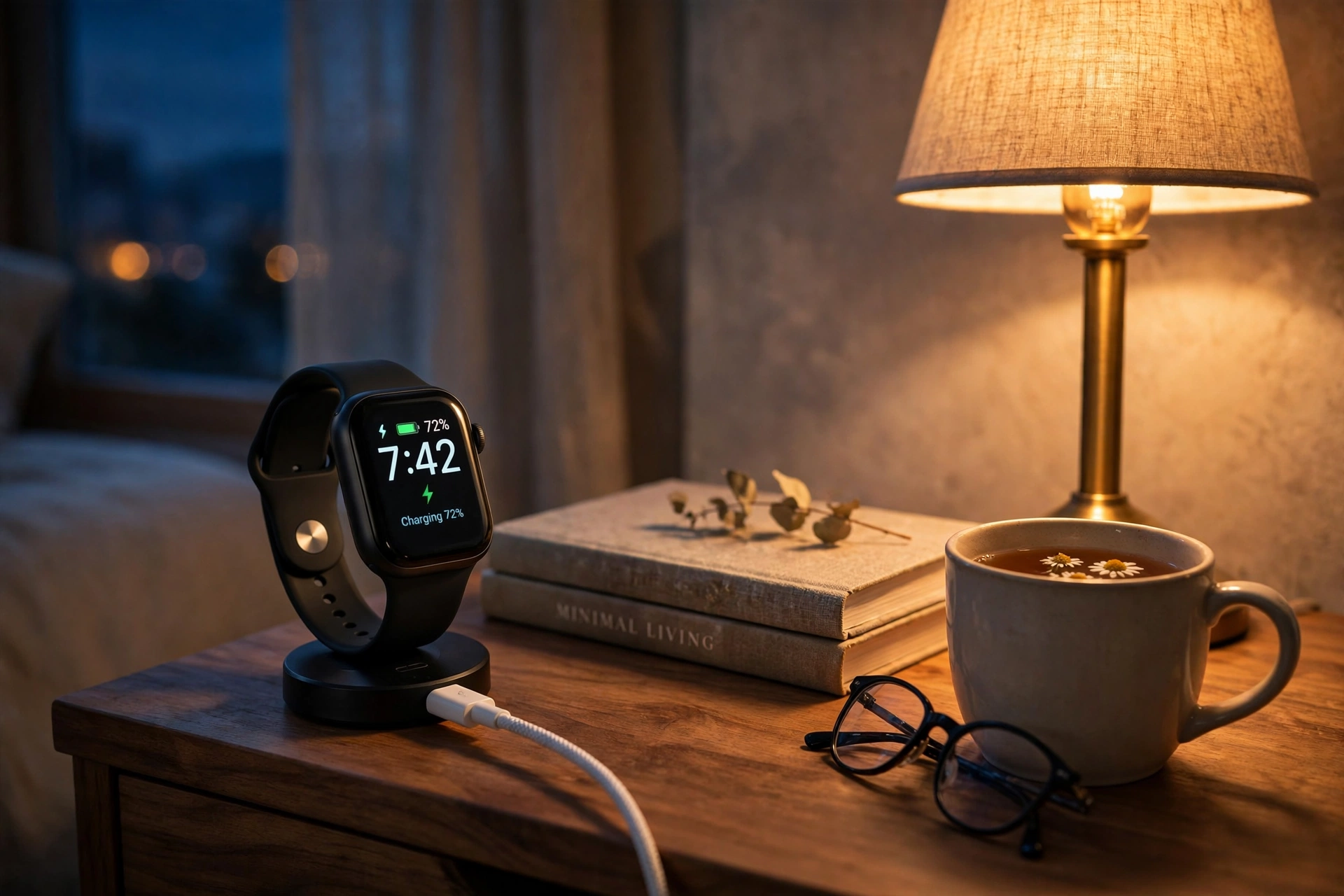
A watch that dies at 3 AM records half a night and calls it a night. The fix is a charging routine, not a bigger battery.
- Apple Watch: charge to at least 30% before bed, then charge again during your morning routine. Turn on Charging Reminders so the watch tells you when to top up.
- Garmin and Fitbit: multi-day batteries make this easy — top up for 20–30 minutes in the evening, or charge while you shower in the morning.
- Samsung: same as Apple — an evening top-up, then a morning charge while you get ready.
The habit that works for most people is charging the watch while they wind down in the evening — during a shower, or while reading — rather than overnight. Overnight is exactly when the watch earns its keep. Our battery-drain guide covers the daytime settings that stretch a charge further, so the evening top-up can be short.
Fit Matters as Much as Settings
Settings cannot fix a watch that is sliding around your wrist. Sleep tracking needs steady sensor contact all night, and that is a fit problem before it is a settings problem. The rule from our fit guide is: snug for the day, one notch tighter for workouts, one notch looser for sleep. Loosen it one notch from your daytime fit before bed, and pick a soft silicone or nylon loop band if your usual band feels stiff at night. If you wake up with the watch on the back of your hand, it was too loose. If you wake up with a sore wrist or strap marks, it was too tight.
Two small things that help: wear the watch on the same wrist every night, and keep the sensor clean. Skin oils and lotion build up on the sensor window and scatter the light the heart-rate sensor depends on — a quick wipe with a damp cloth once a week is enough.
Reading Your Sleep Data Without Fooling Yourself
Once the settings are right, the data is only useful if you read it honestly.
- Total sleep time is the most reliable number. Watches are good at sleep vs. wake. If the watch says you slept 6 hours 10 minutes, that is close to the truth.
- Sleep stages are estimates. Deep, light, and REM come from movement, heart rate, HRV, and temperature — not brain waves. Treat a single night’s deep-sleep total as approximate, and watch the weekly average instead.
- A missing night is a settings problem, not a sleep problem. No record usually means the watch was not worn long enough, lost power, or had its sensors off — not that you did not sleep. Check charge, wear time, and whether sleep mode was on before assuming anything about your sleep.
- Scores are for trends. Apple, Garmin, Fitbit, and Samsung all score the night out of 100 or with a label. A score above 80 is a good night; below 70 is worth a look. But a score that falls for a week while your bedtime drifts later tells you more than any single night’s number.
- If the data worries you, talk to a doctor. Snoring flags, breathing-disturbance notifications, and consistently low overnight oxygen are prompts for a medical conversation, not diagnoses. A consumer watch cannot diagnose sleep apnea or any other sleep disorder.
The 5-Minute Setup (Do This Tonight)
- Set a sleep schedule and turn on your watch’s sleep mode (Sleep Focus / Sleep Mode) for that window.
- Check heart-rate tracking and wrist detection / Activity Tracking are on.
- Turn off the always-on display, raise-to-wake, notifications, GPS, and continuous SpO2 (or set SpO2 to during sleep only).
- Charge to at least 30% (Apple) or top up for 20–30 minutes (Garmin, Fitbit, Samsung).
- Loosen the band one notch, sensor flat on your skin, and wear the watch on the same wrist every night.
Do that tonight, leave the settings alone for a week, and then look at the trend. That is the whole method — and it is the difference between a watch that guesses at your sleep and one that actually records it.
FAQs: Smartwatch Settings for Sleep Tracking
Do I need to turn on sleep mode for my watch to track sleep?
On most watches, yes — or at least, it is the difference between a reliable record and a patchy one. Sleep mode tells the watch you intend to sleep, dims the screen, and silences notifications. Without it, the watch can misread late-night movement or phone use as wakefulness, or record nothing at all. On Apple Watch, you also need Track Sleep with Apple Watch switched on in the Health app — sleep mode alone is not enough.
Should I turn off heart rate monitoring at night to save battery?
No. Heart-rate tracking is the main signal your watch uses to infer sleep stages. Turn it off and you lose stages and the Sleep Score, while saving very little battery. If battery is the worry, turn off the always-on display, GPS, and continuous SpO2 instead — and charge before bed.
Why did my watch record no sleep last night?
The usual causes, in order: the battery died overnight; the watch was not worn long enough (Apple needs at least an hour); sleep mode or sleep tracking was never switched on; heart-rate tracking or Activity Tracking was off; or the watch was too loose to hold sensor contact. Check those five before assuming the watch is faulty.
Is it bad to wear a smartwatch to bed every night?
For most people, no — provided the fit is right. Loosen the band one notch from your daytime fit, use a soft band, and give your wrist a break during the day if you notice irritation or marks. If you have sensitive skin, a skin condition, or the watch causes numbness or tingling, take it off at night and talk to a doctor.
Can a smartwatch detect sleep apnea?
No — not as a diagnosis. Some watches flag breathing disturbances over time (Apple’s Sleep Apnea notifications, on Series 9 and later, look at 30 days of data) or record snoring (Samsung, on supported models). A flag is a reason to see a doctor, who can arrange a proper sleep study. The watch’s estimate is not a diagnosis and should never be treated as one.
Which smartwatch tracks sleep best?
There is no single winner — it depends on what you value. Apple Watch is best if you are already on iPhone and want Health app integration. Garmin is best for battery life and multi-day trends. Fitbit is best for a simple Sleep Score and long battery life. Samsung is best inside the Galaxy ecosystem. The settings in this guide matter more than the brand: a well-set-up watch of any brand beats a badly set-up flagship.
Disclaimer: This guide is general information about smartwatch settings, not medical advice. Sleep features such as heart-rate, blood-oxygen, and breathing-disturbance readings are for general wellness information only and are not a substitute for medical advice or a sleep study. If you have a health concern, consult a qualified healthcare professional.