
IKEA Matter devices work with Alexa, Google Home, Apple Home and Samsung SmartThings in 2026 — and you do not need IKEA’s DIRIGERA hub to use them. IKEA launched 21 Matter-compatible products, led by the KAJPLATS smart bulbs, five sensors, BILRESA remotes and the GRILLPLATS smart plug. Any Matter controller with a Thread border router — an Apple TV 4K, a HomePod, a Nest Hub, a recent Echo, or Home Assistant — can run them. DIRIGERA is only a must-buy if you own older IKEA TRADFRI devices or you want everything managed in IKEA’s own app.
What Changed: IKEA’s 2026 Matter Range
IKEA spent years as a Zigbee-only smart home brand. Its first hub, the TRADFRI gateway, launched in 2017 and only talked to IKEA’s own app and a few partner platforms. The DIRIGERA hub replaced it in 2022, and for its first two years it was mostly a better Zigbee hub with a Matter bridge bolted on.
That changed in two steps. First, a 2025 firmware update turned DIRIGERA into a full Matter controller with an active Thread border router, so it can run Matter devices from any brand, not just IKEA’s. Then, on November 6, 2025, IKEA announced 21 new Matter-compatible products of its own and showed them at CES 2026 — the company’s first time exhibiting at CES. The new range reached US stores through early-to-mid 2026, and it replaces the old TRADFRI lighting line: new bulbs are called KAJPLATS, and they speak Matter over Thread instead of Zigbee.
The practical result is that IKEA is now one of the cheapest ways into a Matter smart home. The entry bulb costs about $6, the sensors cost about $8–$10, and none of it locks you into IKEA’s app. If you already own an Apple TV, a Nest Hub or an Echo, you may not need to buy anything from IKEA except the devices themselves.
The Full IKEA Matter Range in 2026
Here is every product family in the range, what it does, and what it costs in the US. Prices are approximate — IKEA changes them by store and by season, so check the listing before you buy.
| Device | What it does | US price (approx.) | Needs a Thread border router? |
|---|---|---|---|
| KAJPLATS smart bulbs | Dimmable smart bulbs in white-spectrum and colour versions; E26, E14 and GU10 bases, 450–1,600 lumens | From $5.99 (450 lm white spectrum) to about $13.99 | Yes |
| MYGGSPRAY motion sensor | Motion sensor for indoor and outdoor use; turns lights on in entrances, stairs and garages | About $7.99 | Yes |
| MYGGBETT door and window sensor | Detects open and closed; triggers lights or alerts, for example in a closet | About $9.99 | Yes |
| TIMMERFLOTTE temperature and humidity sensor | Reports temperature and humidity for a room | About $9.99 | Yes |
| ALPSTUGA air-quality sensor | Measures CO2, PM2.5, temperature and humidity; also shows the time | About $9.99–$14.99 | Yes |
| KLIPPBOK water-leak sensor | Sounds an alarm and sends a phone alert when it detects water | About $9.99 | Yes |
| BILRESA remotes | Dual-button or scroll-wheel remote for controlling lights and scenes | About $6.99 | Yes |
| GRILLPLATS smart plug | Makes an ordinary appliance smart; sold with a remote | About $7.99–$9.99 | Yes |
| DIRIGERA hub | IKEA’s hub: Matter controller, Thread border router, and bridge for old TRADFRI devices | Around $120–$140 | It IS the border router |
Every device in the range except DIRIGERA itself uses Matter over Thread, which means two things. First, the devices form a low-power mesh network, so each mains-powered device (like a bulb or plug) extends the range for the battery sensors. Second, you need a Thread border router on your network for the devices to talk to your phone and the internet — but that router does not have to be IKEA’s. More on that below.
KAJPLATS bulbs: the $6 starting point
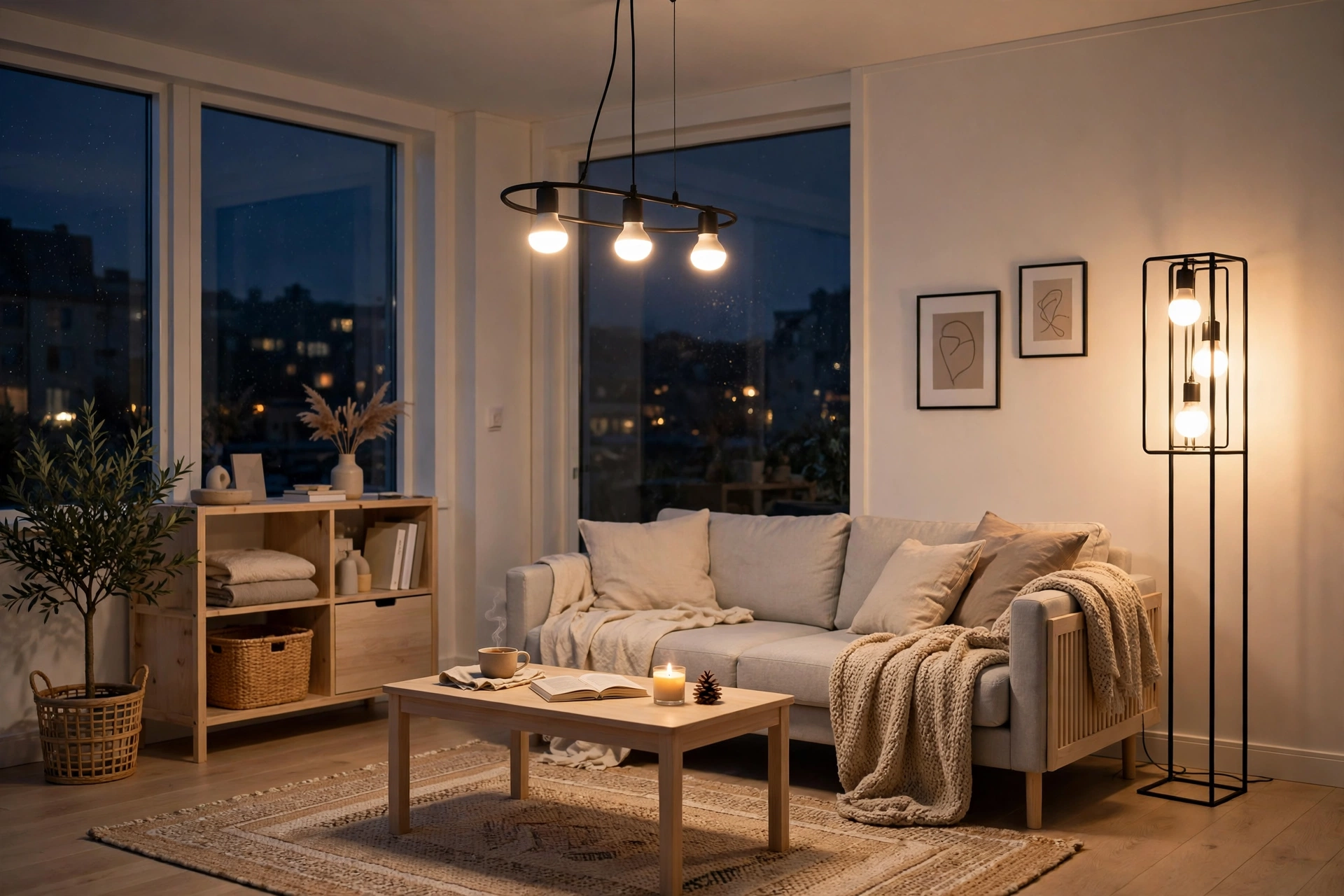
KAJPLATS is the biggest part of the launch and the easiest place to start. The cheapest bulb is the E26 450-lumen white-spectrum model at $5.99 — a genuine $6 Matter bulb, and one of the cheapest Matter bulbs from any major brand. It dims and shifts between warm and cool white (2,200K, 2,700K and 4,000K), but it does not do colour.
If you want colour, step up to the colour-and-white-spectrum bulbs, which run about $12.99 for the 1,100-lumen E26 model. The range also covers GU10 spotlights and decorative clear-glass bulbs, so you can match the fitting you already have instead of replacing the lamp. One warning: the $5.99 price applies to one specific low-brightness model, not the whole family. Check the lumens on the box — 450 lumens is fine for a bedside lamp, but you will want 800 or more for a main room light.
The five sensors: cheap, useful, and the real reason to care
The bulbs get the headlines, but the sensors are the more interesting part of the range, because IKEA has never sold sensors this cheap before. A motion sensor, a door sensor and a leak sensor at $8–$10 each is well below what most smart home brands charge, and they all run on Matter over Thread, so they work in any of the big ecosystems.
The most useful starter combinations are simple: a MYGGSPRAY motion sensor plus a KAJPLATS bulb gives you hallway lights that turn themselves on; a KLIPPBOK leak sensor under the kitchen sink or next to the water heater gives you a phone alert before a small leak becomes a flooded floor; and an ALPSTUGA air-quality sensor can remind you to open a window when CO2 climbs. The sensors run on batteries, so you can stick them anywhere — just remember that a Thread network needs enough mains-powered devices nearby to relay their signals, so do not put a lone battery sensor at the far end of the house with no bulbs or plugs between it and the hub.
BILRESA remotes and the GRILLPLATS plug
The BILRESA remotes are IKEA’s answer to the wall switch problem: a small physical remote you can stick on the wall or leave on a table, so guests and family members who do not have the app can still turn the lights on and off. The dual-button version is the simple one; the scroll-wheel version also dims. At about $7, it is one of the cheapest Matter remotes available.
The GRILLPLATS smart plug turns any ordinary appliance into a smart one — a lamp, a fan, a coffee maker — and it comes with a remote in the box. It is the only plug in the range, and it is also the cheapest way to add a mains-powered Thread device to strengthen your mesh in a room that has no smart bulbs.
Do You Need the DIRIGERA Hub?
This is the question almost every buyer asks, and IKEA’s own answer is confusing: its FAQ says DIRIGERA is “recommended” for Matter devices, while also saying another brand’s controller works. Here is the straight answer: no, you do not need DIRIGERA for the new Matter devices — but you do need something that does its two jobs.
| Your situation | Do you need DIRIGERA? |
|---|---|
| You already own an Apple TV 4K, HomePod, Nest Hub (2nd gen) or recent Echo | No — that device is already a Matter controller and Thread border router |
| You use Home Assistant with a Thread border router | No — pair the IKEA devices straight into Home Assistant |
| You own older IKEA TRADFRI Zigbee devices and want them in Alexa, Google or Apple Home | Yes — DIRIGERA bridges them into Matter |
| You want everything managed in IKEA’s own app, with scenes and routines in one place | Yes — DIRIGERA is the only hub that runs the IKEA Home smart app |
| You have no smart home hub or speaker at all | Yes — or buy any Matter controller instead; DIRIGERA is the IKEA-centred choice |
| You only want one or two bulbs and already have a compatible speaker or hub | No — the bulb pairs directly to what you already own |
DIRIGERA does three jobs in one small puck, and it is worth knowing what they are before you decide:
- Matter controller. Since the 2025 firmware update, DIRIGERA can add and control Matter devices from IKEA and other brands — not just bridge IKEA’s old Zigbee gear. Its current firmware runs Matter 1.4.2, and IKEA has kept updating it, including energy-monitoring support that arrived with Matter 1.3.
- Thread border router. It connects the Thread mesh your sensors and bulbs use to your home Wi-Fi, so your phone can reach them. Any Thread border router does this job; DIRIGERA is simply IKEA’s.
- Matter bridge for old TRADFRI devices. This is the job only DIRIGERA can do for IKEA gear. If you have TRADFRI bulbs, plugs or remotes, DIRIGERA exposes them to Alexa, Google Home and Apple Home as Matter devices, so your old and new IKEA products appear side by side in one app.
At around $120–$140 in the US, DIRIGERA is the expensive part of an IKEA smart home — it costs more than ten of the $6 bulbs. That is why the “do I need it” question matters: if you already have a compatible speaker or hub, skipping DIRIGERA saves you the entire cost of the hub, and the devices work exactly the same.
What Works With Alexa, Google Home and Apple Home
Because the new range is Matter-certified, every device works in all four major ecosystems. That is the whole point of Matter, and it is a big change from the old TRADFRI days, when IKEA devices only worked properly in IKEA’s own app and a handful of partner platforms.
| Ecosystem | Works with IKEA Matter devices? | What you need |
|---|---|---|
| Amazon Alexa | Yes | A recent Echo (with Thread border router) or DIRIGERA |
| Google Home | Yes | Nest Hub (2nd gen) or newer, or DIRIGERA |
| Apple Home | Yes | Apple TV 4K or HomePod (with Thread), or DIRIGERA |
| Samsung SmartThings | Yes | SmartThings Station or Aeotec hub, or DIRIGERA |
| Home Assistant | Yes | Matter integration plus a Thread border router, or DIRIGERA |
Matter also supports multi-admin, which means one device can belong to two ecosystems at once. You can pair a KAJPLATS bulb to the IKEA Home smart app and share it into Apple Home, so one family member uses the IKEA app and another uses the Home app, and both control the same bulb. That was impossible with the old Zigbee-only range, and it is the single most useful feature of the switch to Matter for mixed-platform households.
If you are still deciding which ecosystem to build around, read our Matter vs Zigbee vs Z-Wave comparison first — it explains why Matter over Thread is the safest bet for new purchases in 2026 — and our Alexa vs Google Home vs Apple HomeKit guide if you are choosing between the platforms themselves.
What About Your Old TRADFRI Devices?
If you bought IKEA smart home gear before 2026, you almost certainly own TRADFRI devices — the old Zigbee bulbs, plugs and remotes. The good news is that IKEA has not abandoned them. The bad news is that the old TRADFRI gateway is discontinued, so here is where each generation stands:
- TRADFRI devices with a DIRIGERA hub: they keep working, and DIRIGERA exposes them to Alexa, Google and Apple over Matter. This is the only way to get old IKEA Zigbee gear into Apple Home, and it is the strongest reason to buy DIRIGERA if you already own a house full of TRADFRI bulbs.
- TRADFRI devices with the old gateway: the gateway still works for now, but it is discontinued and will not get new features. If it dies, DIRIGERA is the replacement.
- TRADFRI devices with no hub: Zigbee devices can also pair directly to some third-party Zigbee coordinators, such as Home Assistant with a Zigbee dongle — but that is a tinkerer’s route, not a beginner one.
- Mixing old and new: old TRADFRI and new KAJPLATS devices can live in the same home through DIRIGERA, and both appear in the IKEA Home smart app. You do not need to replace working TRADFRI bulbs to start buying Matter devices.
The one thing to avoid is buying new TRADFRI-branded stock if you still see it on shelves or second-hand. KAJPLATS is the current line, and it is the one that will keep getting firmware updates through Matter’s over-the-air system.
How to Set Up IKEA Matter Devices
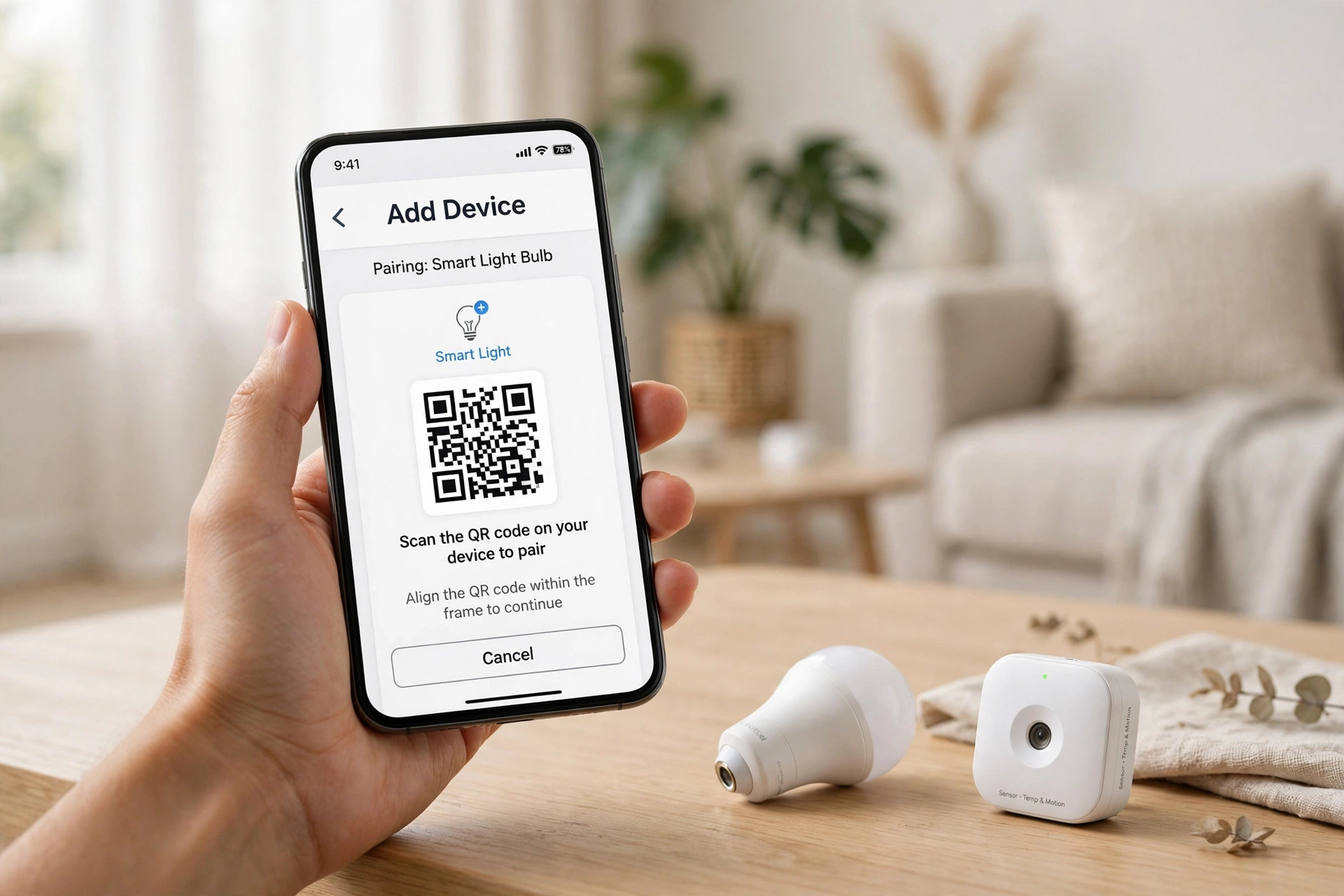
Setup follows the standard Matter flow, and it takes about two minutes per device once your hub is ready:
- Check you have a Matter controller and a Thread border router. That is DIRIGERA, or an Apple TV 4K, HomePod, Nest Hub (2nd gen), recent Echo, SmartThings hub or Home Assistant setup. If you have none of these, buy DIRIGERA first — the devices will not work from your phone alone.
- Power on the device. Screw in the bulb, insert the sensor battery, or plug in the GRILLPLATS plug.
- Open your smart home app — the IKEA Home smart app, Apple Home, Google Home or Alexa — and choose Add Device.
- Scan the Matter QR code printed on the device or its packaging, or type in the pairing code. The app finds the device over Bluetooth, then moves it onto your Thread or Wi-Fi network.
- Assign it to a room as soon as it appears, and give it a clear name (“Hallway bulb”, not “KAJPLATS E26 1100 lm”). Clear names are what make voice control work.
- Share it to a second ecosystem if you want to, using Matter multi-admin: open the device in the first app, generate a new pairing code, and add it in the second app.
If pairing hangs, the usual causes are the same for every Matter over Thread device: your phone is not on the same network as the border router, the Thread credentials have not synced to your phone, or the device is too far from any mains-powered Thread device. Move closer to the hub, check your Wi-Fi, and try again — and make sure DIRIGERA’s firmware is up to date, since IKEA pushes Matter improvements through it. Our How to Start a Smart Home guide walks through the same first-week setup in more detail.
What IKEA Matter Devices Can’t Do (Yet)
Honest limits matter as much as the feature list, especially since IKEA’s range is still narrow:
- No cameras, locks or doorbells. The range is lights, sensors, remotes and one plug. If you want a video doorbell or a smart lock, you will need another brand — see our Smart Home Security Systems guide for those picks.
- No IKEA Matter thermostat or blinds yet. IKEA sells smart blinds (FYRTUR, PRAKTLYSING) on Zigbee through DIRIGERA, but there is no Matter-native blind or thermostat in the 2026 range.
- Sensors need the mesh. A battery sensor on its own cannot reach your phone. If your home has only one or two IKEA devices, keep them near the hub or add a plug or bulb in between.
- Features arrive at different speeds per ecosystem. Matter adds new device types with each version, but Apple, Google and Amazon each adopt them on their own timetable — so a feature that works in one app may not appear in another for months.
- Firmware updates need a controller. Nearly every IKEA Matter product now receives firmware through Matter’s over-the-air update system, but only while it is connected to a controller. A device sitting in a drawer does not update.
None of these is a reason to avoid the range. They are reasons to buy IKEA for what it is good at — cheap lights, sensors and remotes — and to buy cameras, locks and thermostats from brands that specialise in them.
What to Buy First: Three Starter Picks
| Starter kit | What to buy | Approx. cost (before tax) | Who it suits |
|---|---|---|---|
| Cheapest Matter test | One KAJPLATS 450 lm bulb ($5.99) — you already own a compatible speaker or hub | About $6 | Testing one bulb in a home that already runs Matter |
| IKEA-centred lighting setup | One KAJPLATS bulb, one BILRESA remote, DIRIGERA | About $135–$155 | Starting fresh and wanting the IKEA app plus physical controls |
| Budget safety setup | MYGGBETT door sensor, KLIPPBOK leak sensor, MYGGSPRAY motion sensor — plus DIRIGERA only if you have no other hub | About $24–$30 without a hub; about $145–$170 with DIRIGERA | A renter or first-timer who wants useful automations, not just lights |
If you already own a smart speaker, start with the $6 bulb. It is the cheapest possible way to find out whether Matter over Thread works well in your home, and if it does, the sensors are the next best money you will spend. If you own nothing yet, buy DIRIGERA and a bulb together — the hub is the only expensive item, and everything after it is under $15.
IKEA Matter Devices: Frequently Asked Questions
Do IKEA Matter devices work without the DIRIGERA hub?
Yes, if you already have another Matter controller with a Thread border router — an Apple TV 4K, HomePod, Google Nest Hub (2nd gen), recent Amazon Echo, SmartThings hub or Home Assistant setup. DIRIGERA is only required if you have no other controller, you want the IKEA Home smart app, or you need to bridge older TRADFRI Zigbee devices into Matter.
Do IKEA KAJPLATS bulbs work with Alexa?
Yes. KAJPLATS bulbs are Matter-certified, so they work with Alexa through any Matter controller — a recent Echo with a Thread border router, or DIRIGERA shared into Alexa. Pair the bulb in the Alexa app by scanning its Matter QR code, and it appears as a normal Alexa light you can dim, change colour temperature on, and add to routines.
Do IKEA Matter devices work with Apple HomeKit?
Yes. The new range works with Apple Home (the current name for HomeKit) through an Apple TV 4K or HomePod acting as the Matter controller and Thread border router, or through DIRIGERA. Scan the Matter code in the Home app, assign the device to a room, and it works with Siri, automations and the Home app like any native device.
What is the difference between KAJPLATS and TRADFRI?
KAJPLATS is IKEA’s current smart lighting line and uses Matter over Thread, so it works directly with Alexa, Google Home, Apple Home and SmartThings. TRADFRI was the older Zigbee-only line: it only worked through IKEA’s own gateway or hub and had limited support in other ecosystems. TRADFRI devices still work through DIRIGERA, but KAJPLATS is the line to buy now.
Can I use IKEA Matter devices with Home Assistant?
Yes. Pair the new Matter devices straight into Home Assistant’s Matter integration, with a Thread border router in place for the Thread models. You can skip DIRIGERA entirely unless you want it to bridge older TRADFRI Zigbee devices, or family members prefer the IKEA app — in which case Matter multi-admin lets a device live in both systems at once.
Is the DIRIGERA hub worth it in 2026?
It is worth it if you own older TRADFRI devices, you want everything in IKEA’s app, or you have no other Matter controller or Thread border router. It is not worth it if you already own an Apple TV 4K, HomePod, Nest Hub or recent Echo — those already do DIRIGERA’s two essential jobs, and the $120–$140 is better spent on bulbs and sensors.
The Bottom Line
IKEA Matter devices are the cheapest credible way into a Matter smart home in 2026: a $6 bulb, $8–$10 sensors, and no lock-in to IKEA’s app. Buy KAJPLATS bulbs and the sensors first, skip DIRIGERA if you already own a compatible speaker or hub, and buy DIRIGERA only if you have old TRADFRI gear to bridge or you want the IKEA app to run the whole house. If you are still choosing your first hub, our Best Smart Hubs in 2026 roundup compares DIRIGERA’s rivals — and if you are starting from zero, How to Start a Smart Home lays out the first-week plan.